
GetResponse is a marketing platform that brings email campaigns together with tools for automation, landing pages and online sales. A 14-day trial needs no credit card, giving you time to test whether the wider system fits your work. You may want more than a place to send newsletters, but extra tools matter only when they match your workflow.
This review weighs the platform’s strengths against its limits. You will see how email campaigns, follow-up actions, pages, funnels and webinars may fit together, without any promise of better sales. The right choice depends on the work you need to do and the time you can give setup.
Key Takeaways
- GetResponse joins email with several marketing tools.
- Marketing automation can react to contact behavior.
- Contact-based billing can affect your total cost.
- It is not a full sales CRM.
- A trial lets you test a real campaign path.
If you only need to send occasional newsletters, compare the extra features with your actual workflow before choosing an all-in-one platform.
What Is GetResponse?
GetResponse is an all-in-one marketing platform, not just a place to write and send newsletters. It brings audience-building and sales tools together, so you can manage more than one marketing task from one account. That wider scope can help when email is one part of a larger campaign.
Email campaigns are messages you send to contacts for a promotion, update or planned event. Marketing automation is software that performs marketing actions, such as sending a message, in response to a schedule or a contact’s behavior. Campaigns start with a message you choose to send, while automation responds to a rule or action.

GetResponse can support several connected marketing tasks, but it does not replace every business system.
The platform supports promotional, triggered and lifecycle emails. AI tools can help tailor content and suggest send times, though your own audience knowledge still matters.
You can consider it when you want email marketing alongside tools for collecting leads and guiding them toward a sale. The connected setup may reduce the need to move campaign information between separate tools.
Treat it as a potential home for several connected marketing tasks, not as a substitute for a full sales CRM.
What Can You Do With GetResponse Email Marketing?
You can use GetResponse to build promotional emails and newsletters in a visual editor without starting from HTML. The drag-and-drop editor lets you place text, images, buttons, video and custom HTML into a message. That makes layout work easier to see as you build.
Choose a template as a starting point, then change its content and design to suit your brand. You can save blocks and reuse them in later emails, which helps keep recurring messages consistent. GetResponse email campaigns can also use A/B testing, a way to compare two versions and see which one gets more engagement.

A test might compare two subject lines or different message content. GetResponse also offers A/B testing for landing pages, so you can assess page versions as well as emails. Testing gives you a result to review, not a promise that one version will always win.
To get a response from an email, make the offer relevant and give the reader a clear next step. A software tool cannot make an unrelated offer useful. These simple practices give your message a better chance of being understood:
- Use one clear call to action.
- Personalize the message to the recipient.
- Test a subject line or message variation.
Keep each email focused on the action you want the reader to take. A product update, for example, may need a different tone from a discount offer or event invitation. Your contacts should be able to tell why the message matters to them.
Before sending, test the message on mobile and make sure its main call to action is easy to find.
How Does GetResponse Marketing Automation Work?
GetResponse automation can send different follow-ups when a contact signs up, abandons a cart or stops engaging. You set a trigger, then choose what should happen next. The contact’s action can guide which email or path comes after it.
Workflow actions and conditions can direct contacts into different email paths. For example, a condition may sort people based on whether they opened a message or took another action. You define each trigger and next step, then review whether the path still makes sense for the contact.

Welcome and lifecycle sequences
A welcome sequence can begin after someone joins your email list. It may introduce your business, explain what the person signed up for, and share a useful next step. Lifecycle follow-ups can respond to later actions, such as a purchase or an event signup.
A planned sequence can help you send messages at the right point without manually starting every email. Keep the content tied to the reason the contact entered the workflow. A welcome note should feel different from a message meant for a long-time customer.
Cart recovery and subscriber win-back
An abandoned-cart workflow can send a reminder after a shopper leaves items behind. A win-back sequence can reach contacts who have stopped engaging for a period of time. Each action should match the customer’s current situation, not just the name of the workflow.
Common workflow examples include:
- Welcome a contact after signup.
- Send a cart reminder after abandonment.
- Try to win back a contact after inactivity.
Check the timing and the message before activating a path. A reminder sent too soon, or long after a contact has moved on, may feel out of place.
Start with one workflow tied to a clear customer action, then verify that each branch sends a useful message.
Can GetResponse Build Landing Pages and Sales Funnels?
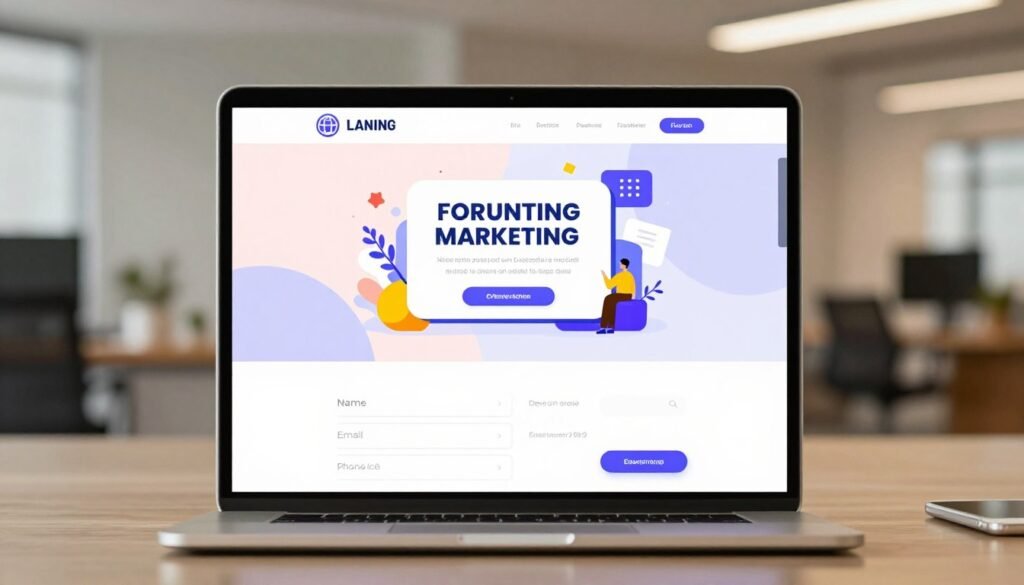
GetResponse can pair a lead-capture page with follow-up emails in a single campaign path. A landing page gives a visitor one focused action, such as joining a list or registering for an event. That direct route can keep the next step clear.
The page editor supports forms and videos, along with written copy. You can host pages through GetResponse, and AI tools can help write copy or select a layout. AI output is a starting point, not evidence that the page will convert.
Landing pages for lead capture
A form can collect the details you need before sending a follow-up. A short video may explain an offer, while clear copy tells visitors what they receive in return. Choose only the fields you need, since a long form can add effort for the visitor.
Review the page’s message, design and mobile view before sharing it. An AI-selected layout may not suit your brand or the goal of your campaign. The final page still needs a human check for clear wording and a working form.
Conversion funnels from signup to sale
A conversion funnel connects steps from lead capture to a sale or event goal. It can bring forms, email, SMS and landing pages into one campaign path. The path lets you plan how a contact moves from first response toward the action you want.
You can build a funnel to:
- Collect leads.
- Sell a product.
- Promote a webinar.
A campaign can use a landing page to collect a signup, then follow up with messages that explain the offer. For a sale, the path may lead toward a product purchase. For an event, it may guide a contact toward registration instead.
Check the form, mobile layout and destination after submission before sending traffic to a new page.
Which Other Channels and Tools Does GetResponse Include?
GetResponse extends beyond email with tools for forms, SMS, web push and webinars. Forms and popups can collect contact details, while SMS or web-push notifications can add another way to reach an audience. These extra channels may help when email alone does not suit a campaign.
The platform also lists marketing automation, landing pages, sales funnels and webinars among its products or features. A webinar can support a live event or class, while AI product recommendations can help shape website shopping experiences and email campaigns. Channel access and capacity depend on your plan or paid add-on.

Plan terms can change what you can use. Starter may offer webinars and multi-user access as paid add-ons. Creator includes webinars for up to 300 attendees and access for up to five users.
Those differences matter if your campaign depends on a specific channel or a team account. A webinar plan needs enough attendee capacity, while a shared account needs the right number of user seats. An AI product suggestion may be useful for a store but less relevant to a service business.
Confirm the plan’s channel access and audience capacity before building a campaign around a webinar or add-on.
How Does GetResponse Manage Contacts and Campaign Results?
GetResponse organizes contacts into lists and segments so you can target messages using customer information and behavior. Lists group contacts, while segments can sort them by fields, engagement, purchase history or lead scores. That detail can help you send different messages to different groups.
You can use tags to mark useful traits or actions, then build segments around the information you have. The same email address can count separately when it appears on more than one list. Think through your list structure before adding the same person to several places.

Organizing and segmenting contacts
Contact fields can hold details such as names or other information you collect. Engagement data can help separate active readers from people who rarely interact. Purchase history and lead scores can also help you shape follow-up messages.
Use only information that supports a clear marketing purpose. A segment is most useful when it changes what you send, rather than creating groups that receive the same message anyway.
Reporting, testing and integrations
GetResponse reporting covers emails, forms, landing pages, automations, funnels and webinars. You can review results across a campaign path, then decide where a change may help. Reports guide decisions, but they cannot guarantee sales.
A/B testing can compare email or landing-page variations. You can also connect relevant ecommerce or analytics tools to bring campaign and customer data together. Those connections may help you see how marketing activity relates to store actions.
Before importing a list, decide whether the same person needs to sit on multiple lists, since duplicate addresses across lists count separately.
Is GetResponse Easy to Use, and What Should You Check First?
GetResponse is designed to keep several marketing tools in one account, so expect more setup choices than a single-purpose sender requires. The broad set of options can make your first setup feel involved. A guided dashboard and help resources can make the learning process easier.
Start by finding the tools you plan to use, rather than setting up every feature at once. GetResponse has a help center and knowledge base for common tasks. Its support is available by email and live chat, 24 hours a day, seven days a week.

Email support is available in seven languages. That can help if you prefer to explain a setup problem in a language other than English. Support access does not remove the need to learn how your own campaign is arranged.
For GetResponse login, go to the official GetResponse website and sign in there. If you cannot access your account, use its account-recovery option instead of relying on a guessed login address.
Try the tasks you expect to repeat, such as importing contacts and setting up one campaign. Note where you need help, and whether your team can handle the same steps without extra support.
Test the tasks you will use most, such as importing contacts and building one campaign, before committing your whole workflow.
How Much Does GetResponse Cost?
GetResponse’s listed Starter price is $19 per month for up to 1,000 subscribers, with higher contact tiers priced separately. Starter, Marketer and Creator plans use contact tiers, including options from 1,000 to 100,000 contacts. Your audience size is a key part of the price.
Paid Starter plans have unlimited emails during the billing period, so the bill does not rise with each send. Here are three examples of the available access and price structure.

Starter pricing by contact tier
| Plan or access | Contact condition | Price or send allowance | Email limit |
|---|---|---|---|
| Free | Fewer than 500 subscribers | 2,500 newsletters per month | 2,500 newsletters monthly |
| Starter | Up to 1,000 subscribers | $19 per month | Unlimited emails |
| Starter | 10,000 subscribers | $79 per month | Unlimited emails |
The Starter tier for 10,000 subscribers costs $79 per month. GetResponse offers contact tiers at 1,000, 2,500, 5,000, 10,000, 25,000, 50,000 and 100,000 contacts.
Free access, trials and billing rules
Annual billing lowers Starter’s 1,000-subscriber price to $15.58 per month, an 18% discount. The free plan supports fewer than 500 subscribers, up to 2,500 newsletters per month and one landing page.
The 14-day trial requires no credit card. It can give you time to test how the platform fits your regular work before choosing paid access.
Billing uses the peak number of active subscribers during the month and the total contacts added during that billing month. If the same address appears on multiple lists, it can affect the count more than once. Adding contacts and reaching a higher active count can both change the amount billed.
Before choosing annual billing, check your expected peak active audience and the number of new contacts you may add in a billing month.
GetResponse vs. Mailchimp: Which Fits Your Needs?
Mailchimp’s Free plan has a lower contact cap and a monthly sending allowance, while GetResponse paid plans are not billed by email volume. Mailchimp can suit a beginner who values its Free access, while GetResponse may fit someone who wants connected marketing tools. The contact rules can matter as much as the feature list.
Mailchimp counts subscribed, unsubscribed and non-subscribed contacts toward its total. The table shows its contact and sending limits by plan.

Contact limits and sending rules
| Mailchimp plan | Contact limit | Monthly send limit | Notable contact rule |
|---|---|---|---|
| Free | 250 contacts | 500 sends, 250 daily | Sending pauses above 250 |
| Essentials | Up to 50,000 contacts | 10 times contact limit | Paid overages are charged |
| Standard | Up to 100,000 contacts | 12 times contact limit | Paid overages are charged |
| Premium | Up to 200,000 contacts | 15 times contact limit | Paid overages are charged |
Mailchimp’s Free plan limits also include one audience and one user seat. It provides basic reporting and a limited set of templates. If a Free account exceeds 250 contacts, live and test email sending pause until the user upgrades or reduces the count.
Paid-plan overages are charged rather than stopping service. For a lasting increase in audience size, the account needs a higher contact tier. Mailchimp also offers Pay As You Go credits instead of a recurring monthly charge.
Tools, landing pages and plan differences
Mailchimp offers email campaigns, audience management, reports and landing pages, with some marketing features depending on the plan. Standard and higher plans can create customer profiles and assign customer lifetime value. Its landing pages support tracking for unique visitors and signup conversions, Meta Pixel and Google Analytics.
Mailchimp landing pages can use Mailchimp domains or connected custom domains. Publishing with a custom domain requires a paid Websites plan, and its pages do not allow iframes or custom HTML. SMS is a paid add-on in select markets; MMS is available to Standard and Premium plans for U.S. and Canadian contacts.
Mailchimp may appeal to a beginner who wants a Free plan and familiar email tools. GetResponse may fit your needs if you want email joined with broader marketing tools. Stash Hotel Rewards and The Breakthrough Coach are named Mailchimp case-study examples, but they do not establish a typical result.
Compare the contact-counting rule as carefully as the headline send limit, especially if your audience includes unsubscribed or non-subscribed records.
Is GetResponse a CRM, and What Alternatives Should You Compare?
GetResponse has contact-management tools, but it is not a full sales CRM with pipelines and deal tracking. It can store contact profiles and support tags and segments. Those tools help with marketing, but they do not show who owns a deal or where it stands.
If sales stages and deal ownership matter, contact management alone will not cover the whole process. Compare platforms based on the parts of your workflow they need to handle.

Contact management versus a sales CRM
A sales CRM tracks prospects, deal stages and work assigned to sales staff. GetResponse focuses on managing contacts for marketing, rather than tracking a full sales pipeline. You may need a separate CRM or a connection to one.
ActiveCampaign, Klaviyo and affiliate options
ActiveCampaign is known for advanced automation, CRM, flexible segmentation and lead scoring. Mailchimp is often easier for beginners to learn. Klaviyo is another platform to compare against your needs and daily tasks.
GetResponse’s affiliate program pays new referrals 40% commission for 12 months. The rate rises to 50% after 50 referrals or 60% after 100 referrals. PartnerStack manages tracking, payouts and program accounts, while existing affiliates keep their old terms unless they switch.
| Platform or program | Relevant capability or rule | Practical fit |
|---|---|---|
| GetResponse | Marketing contact tools; affiliate program | Connected marketing work |
| ActiveCampaign | CRM, automation and lead scoring | Sales and marketing workflows |
| Mailchimp | Beginner-friendly; affiliate marketing prohibited | Simple email campaign needs |
Mailchimp prohibits affiliate marketing under its Terms of Use, and violations can lead to account cancellation. That rule matters if you plan to promote affiliate offers through your account.
If sales ownership and deal stages are central to your workflow, test a dedicated CRM connection before moving your contact system.
Who Should Choose GetResponse, and Who Should Look Elsewhere?
GetResponse is most compelling when you expect to use several connected marketing tools, not just send occasional newsletters. It may suit a business that wants email to work alongside audience capture and follow-up. The best fit depends on what you will use, rather than the size of the feature list.
A simple newsletter sender or full sales-pipeline CRM user may find the platform broader than necessary. Use this checklist to judge where it could fit:

- A small or midsize business that wants email and connected marketing tools.
- An online store using Shopify or WooCommerce integrations for product and contact data.
- A creator who needs content monetization and webinars.
Shopify and WooCommerce can connect ecommerce product and contact data to campaigns. That may help a store plan follow-up based on what customers bought or viewed. You still need to decide how those details should shape each message.
Creator includes content-monetization tools, webinars for up to 300 attendees and access for up to five users. Those limits belong to that plan, so they may not suit every creator’s audience or team.
Choose the platform for work you expect to do, not for tools that will sit unused.
A business that only sends a few newsletters may prefer a simpler sender. A team that needs sales pipelines and deal tracking should assess a dedicated CRM setup instead.
Match the plan to the features you will use now, then reassess before paying for add-ons or a higher tier.
Conclusion
Choose GetResponse when its connected tools solve work you would otherwise handle across separate platforms. It is a stronger fit when email supports a broader marketing workflow, but contact-based billing and plan limits deserve close attention.
Map one real campaign from signup through follow-up before you decide. If that path matches your needs, try the 14-day trial without a credit card and see how the setup feels.
Sketch one campaign and use the 14-day no-credit-card trial to test whether the workflow feels practical for your business.