
If your revenue depends on a custom buying journey, ClickFunnels is the more direct fit; if you need email marketing and automation at the center of your work, start with GetResponse. A sales funnel is a sequence of marketing steps that guides a potential customer from first awareness toward a decision or purchase.
Both platforms now offer landing pages and funnel capabilities, so older descriptions of them as entirely separate tool types miss important overlap. The real choice is whether you need more control over a sales path or a wider set of marketing tools built around email.
ClickFunnels suits businesses that shape each stage of a custom buying process. GetResponse is a strong match for email campaigns, audience nurturing, automation, and webinars. The better fit depends on the work your team repeats every week.
Key Takeaways
- Choose ClickFunnels when custom sales funnel building is central to your sales process.
- Choose GetResponse when email marketing and audience engagement lead your work.
- Both platforms provide landing pages and funnel tools, but their strengths differ.
- GetResponse has a free plan for up to 500 subscribers, with branding in emails.
- Test the platform that matches your main task before moving your full workflow.
Your best choice is the platform whose core tools match the work you need to do every week.
How much do ClickFunnels and GetResponse cost?
GetResponse Marketer starts at $59 per month, while ClickFunnels Launch starts at $97 per month. At the listed entry prices, GetResponse Marketer costs less, while ClickFunnels plans set clear contact and email allowances.
ClickFunnels Launch costs $97 monthly or $81 monthly with annual billing. It includes 10,000 contacts, 50,000 emails per month, one workspace, three courses, five domains, and two seats. Launch also includes unlimited funnels.

| Plan pair | Monthly or annual price | Annual-billing price | Defining limit or feature |
|---|---|---|---|
| ClickFunnels Launch / GetResponse Starter | $97 / $19 per month | $81 / $15.58 per month | Launch: unlimited funnels; Starter: one custom workflow |
| ClickFunnels Scale / GetResponse Marketer | $197 / $59 per month | $164 / $48.38 per month | Scale: 75,000 contacts; Marketer: unlimited workflows and sales funnels |
| ClickFunnels Optimize / GetResponse Creator | $297 / $69 per month | $248 / $56.58 per month | Optimize: 150,000 contacts; Creator: webinars and course tools |
| ClickFunnels Dominate / GetResponse Enterprise | $5,997 per year / custom pricing | Not listed / not listed | Dominate: 400,000 contacts; Enterprise: custom plan features |
ClickFunnels Scale costs $197 monthly or $164 with annual billing. It includes 300,000 monthly emails, five workspaces, six courses, and five seats. Optimize costs $297 monthly or $248 annually, with 750,000 monthly emails, 10 workspaces, 10 courses, and 10 seats.
Dominate costs $5,997 per year and includes 1.2 million monthly emails, 20 workspaces, 20 courses, and 20 seats. ClickFunnels Launch includes 10,000 contacts, while GetResponse plans use different limits and features.
Compare contact and email allowances against your real list and monthly sending volume, not just the starting price.
GetResponse Starter costs $19 monthly or $15.58 with annual billing, and includes one custom automation workflow. Marketer adds unlimited workflows, advanced segmentation, abandoned-cart recovery, and sales funnels.
GetResponse also has a free plan for up to 500 subscribers, with GetResponse branding in emails. Paid plans include a 14-day free trial. Comparisons published in 2022 may show older plan structures, so check plan details when you subscribe.
Compare the contact and email limits against your actual list and sending volume before choosing a plan.
ClickFunnels vs GetResponse: Which platform matches your main goal?
ClickFunnels is built around arranging pages into a guided sales journey, while GetResponse puts email marketing and audience engagement at the center. That difference still matters, even though both platforms now cover several marketing jobs.
ClickFunnels is a hosted funnel builder with a drag-and-drop tool for landing pages, sales pages, and order forms. Its 2026 product includes a website builder, an email marketing tool, a landing page creator, and an online course builder.
GetResponse grew from email marketing into a platform with landing pages, websites, webinars, web push notifications, and marketing funnels. Their strongest use cases remain different: one centers on the buying path, and the other on audience communication.
- Choose ClickFunnels when designing the sales flow is your main marketing job.
- Choose GetResponse when email campaigns and subscriber nurturing lead your work.
- Consider either platform when you want several marketing functions under one account.
A small business selling one focused offer may care most about the steps between a first visit and checkout. A creator building an audience may need email campaigns to stay in touch between launches.
Neither product is limited to its original role. ClickFunnels now includes more than funnel pages, and GetResponse can support campaigns beyond newsletters. Your team’s regular work helps show which additions you will actually use.
Start your comparison by naming the one marketing task you cannot afford to handle with a workaround.
How much control do you get over sales funnels?
ClickFunnels gives you more control when your funnel needs custom stages or specialized paths, while GetResponse is simpler when a ready-made template matches your goal. The key difference is structure: GetResponse’s ready-made conversion funnel templates use predefined steps.
A typical sales funnel has four stages: awareness, interest, decision, and action. Real customer journeys can need more or fewer steps, depending on the offer and how people buy.

| Funnel need | GetResponse | ClickFunnels |
|---|---|---|
| Ready-made sales, lead-generation, and webinar paths | Sales, lead-generation, and webinar templates | Funnel types for guided sales journeys |
| Additional specialized paths | No listed donation, phone, book, summit, or challenge paths | Donation, phone, book, summit, and challenge funnels |
| Custom funnel creation | Ready-made conversion funnels use set steps | Users can create custom funnels |
| Step flexibility | Predefined steps in ready-made templates | Custom stages and paths |
Which ready-made funnel paths are available?
GetResponse offers templates for sales, lead generation, and webinars. These can help you start with a familiar route, such as collecting a lead before sending follow-up messages.
ClickFunnels offers donation, phone, book, summit, and challenge funnel types that GetResponse does not include in its ready-made selection. Those options can suit a specific offer better than a general sales template.
Can you customize the journey and split its paths?
ClickFunnels lets you build custom funnels when the customer path needs extra stages or a different order. GetResponse’s ready-made conversion funnel follows predefined steps, so a matching template can be quick to use but less open-ended.
A path may need a different page for returning visitors or a separate step for a complex offer. Decide which actions matter before you choose a preset route.
Choose a template only after checking that its steps match the action you want a prospect to take.
Which platform is stronger for email marketing?
GetResponse is the stronger pick for regular newsletters and audience nurturing because email marketing is its central strength. It works as a standalone email service, while ClickFunnels ties email more closely to funnel workflows and broadcasts.
GetResponse offers 263 customizable email templates, compared with around 37 in ClickFunnels. Its Starter, Marketer, and Creator plans include unlimited monthly email sends. ClickFunnels uses plan-specific monthly email limits, as shown in the pricing comparison.
| Feature | GetResponse | ClickFunnels |
|---|---|---|
| Email template count | 263 customizable templates | Around 37 templates |
| Standalone email marketing | Yes, a core service | Email tied closely to funnels and broadcasts |
| Subscriber tagging or scoring | Tags, segmentation, and engagement scoring | Contact tags and lists |
| Distinct send-time or content features | Perfect Timing, RSS-to-Email, heat maps, ROI tracking | Broadcasts and funnel-related follow-up |
What can you do with email campaigns and subscriber data?
GetResponse lets you group subscribers by their details or actions, then send campaigns to the people most likely to care. Tags can mark interests, while subscriber scoring can reflect engagement with your messages.
ClickFunnels can organize contacts with lists and tags. Its email features fit teams that want messages connected to sales activity, rather than a separate service for routine newsletters.
Which email tools save time or support testing?
GetResponse’s Perfect Timing can help send a message when a subscriber is more likely to see it. RSS-to-Email can turn new feed content into email updates for subscribers.
Campaign reports include heat maps and ROI tracking, which can help you see how people respond and how a campaign relates to returns. Template variety also gives you more starting layouts to adapt.
Before moving an existing list, check that your tags and segments can be recreated in the platform you choose.
How do their marketing automation tools compare?
GetResponse offers more ready-made workflow templates, while both platforms can automate multi-step customer journeys. GetResponse has 47 ready-to-use templates, compared with around six in ClickFunnels.
Both platforms provide visual automation builders. GetResponse Starter includes one custom automation workflow, while Marketer includes unlimited workflows. Check the plan allowance before you build several separate automations.

Which triggers and actions can shape a workflow?
A trigger starts a workflow when a contact takes an action. Common examples include opening an email, clicking a link, or making a purchase.
After a trigger, a workflow can send an email, add a tag, or move someone between segments. These actions can support a sequence that responds to what a customer does.
GetResponse has ready-made workflows for tasks such as abandoned-cart recovery. ClickFunnels can tie workflows closely to its sales funnels, which can help connect follow-up to a buying path.
How quickly can you start with workflow templates?
Templates give you a starting layout for common jobs, so you do not have to map every step from scratch. GetResponse’s larger set covers more prebuilt use cases.
Still, a template needs to match your offer and audience. Change its timing and actions to fit the way your customers move through a campaign.
Which plan limits matter for automation?
GetResponse Starter allows one custom automation workflow. Marketer allows unlimited workflows, so users who need several independent sequences should check their plan before building around them.
- Identify the event that should trigger the workflow.
- Map the next action, such as an email or a contact tag.
- Confirm that your plan allows the workflow you need.
Test every trigger with a sample contact before relying on a workflow to send a time-sensitive message.
Which landing page and testing tools fit your campaigns?
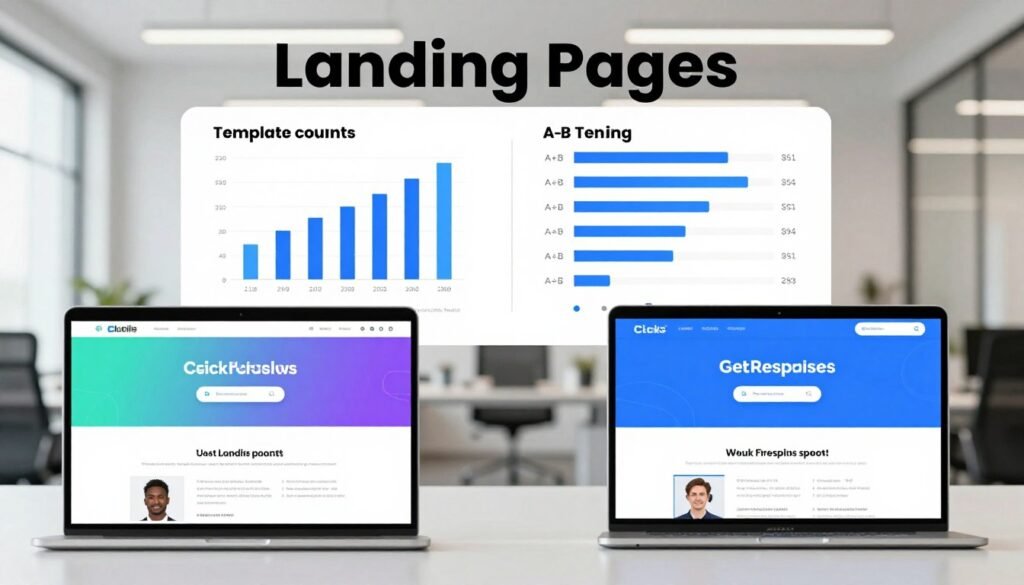
Both platforms can build landing pages, but GetResponse offers more listed designs and the split-testing tools depend on which page editor you use. The editor matters: the legacy GetResponse creator has different testing features from the newer one.
GetResponse has 93 ready-made landing page designs, while ClickFunnels has about 27. Both builders offer drag-and-drop editing and customizable templates, so you can shape pages around a campaign.
| Feature | GetResponse | ClickFunnels |
|---|---|---|
| Template count | 93 landing page designs | About 27 landing page designs |
| Page editing | Drag-and-drop builder | Drag-and-drop builder |
| A/B testing | Legacy creator tests up to 10 versions; newer creator has no listed support | Tests two funnel page versions |
| Cookie-consent options | Cookie consent banner option | No similar opt-out mechanism on landing pages |
ClickFunnels lets you test two versions of a funnel page. The legacy GetResponse landing page creator allows tests with up to 10 versions, but the newer page creator does not appear to support A/B testing.
When you test a page, change one meaningful element at a time. A new headline or call to action can show whether that change affects visitor behavior.
Testing several changes together makes it harder to know which one shaped the result. Keep the page goal steady while you compare the versions.
Confirm which GetResponse page editor your account uses before making A/B testing a deciding factor.
Can either platform handle webinars, websites, and courses?
GetResponse is the more direct fit when webinars need to sit alongside email marketing, while both products offer course and website tools. Its Creator plan combines these services for small course businesses.
GetResponse Creator costs $69 per month or $56.58 with annual billing. It includes webinars, a website builder, and a course creator for up to 500 students. Creator also allows five websites.

| Tool | GetResponse | ClickFunnels |
|---|---|---|
| Webinar hosting | Live and on-demand webinars | No native webinar hosting |
| Website building | Creator allows five websites | Website builder included |
| Course creation | Creator supports up to 500 students | Online course builder included |
What does GetResponse include for webinars and course creators?
GetResponse supports live and on-demand webinars. You can connect registration and follow-up to your email audience, keeping event messages near your other campaigns.
Creator includes a course creator for up to 500 students and a website builder with an allowance of five websites. GetResponse Enterprise has custom pricing and includes webinars, a course creator, and unlimited automation workflows.
Enterprise also includes a dedicated sending domain, a dedicated IP address, and priority support. Those options may suit a larger team with more specific sending needs.
What can ClickFunnels do for websites and courses?
ClickFunnels includes a website builder and an online course builder. It does not offer native webinar hosting, so a team that hosts events needs another webinar service.
That difference matters if a webinar is part of your regular lead process. GetResponse can connect signups and follow-up to its email audience within the same service.
Check the student cap and website allowance against your planned audience before building a course business around a subscription.
How do they capture and organize leads?
GetResponse includes landing page builders, signup forms, and popups on Starter, Marketer, and Creator, while both platforms give you ways to organize contacts. Lead capture works best when the offer and follow-up fit the same audience.
A signup form can collect contact details in exchange for a guide, event, or other offer. Popups can present that offer while someone visits a page, while a landing page can explain it in more detail.

Segments group contacts who share a trait or action, which helps you send a message to a relevant audience. Tags can mark a specific interest, signup source, or activity for later use.
GetResponse supports contact segmentation and engagement scoring. ClickFunnels offers contact lists and tags, so you can organize contacts around the details you track.
- Name the signup offer before you build its form.
- Ask for only the fields needed to deliver the offer.
- Define the follow-up segment or tag before publishing the form.
A short form can make signup easier, while extra fields may help sort leads when you truly need those details. Choose fields based on what your follow-up requires.
Submit each form yourself and confirm the new contact receives the intended tag or segment.
What can you connect to each platform?
GetResponse offers named ecommerce connections and additional messaging channels, while your exact setup depends on the integrations your business relies on. Check the action each connection supports, not just its name in an app directory.
GetResponse integrates with Shopify, WooCommerce, and Etsy. Ecommerce connections can help move customer or purchase details between a store and marketing tools.

That information may support follow-up after a purchase or help your team respond to customer activity. The useful connection is the one that carries the event your campaign needs.
GetResponse Marketer and Creator include unlimited web push notifications. These messages can reach people through a browser, adding another channel beyond email.
GetResponse Enterprise users can send SMS messages. That option can suit campaigns where a text message is part of a customer communication plan.
Integrations vary in the data and actions they support. A store connection may pass basic contact details but not every purchase detail or event you need.
Before relying on a connection, check whether it can pass the right customer information into the right workflow. A listed app name alone does not show how it behaves.
Verify that a required integration passes the customer and purchase data your workflow actually needs.
Which platform is easier to work with day to day?
GetResponse’s guided conversion-funnel steps may feel more direct for a standard campaign, while ClickFunnels gives you a dedicated drag-and-drop environment for funnel assets. The easier fit depends on your routine, not just the first screen you see.
GetResponse presents a conversion funnel through predefined steps in a visual format. That guided layout can make a standard campaign feel easier to map from signup through follow-up.

ClickFunnels uses drag-and-drop tools for landing pages, sales pages, and order forms. Teams that want to shape funnel assets directly may prefer that hands-on setup.
A quick first campaign is not the same as mastering advanced workflows. Your team may find a simple page easy, then need more time to manage connected campaigns.
Both platforms provide visual tools for building marketing assets. A trial gives the person doing the daily work a chance to see how each tool feels.
Test three practical tasks: edit a page, set up an email sequence, and find the performance report. The same tasks make it easier to compare each platform fairly.
Ask the person who will maintain the campaigns to complete the same three setup tasks in each trial before you commit.
How can you measure campaign and funnel performance?
Track performance at each step, because a strong final sales number does not show where prospects stopped engaging. Step-by-step measures can point to the part of a funnel that needs attention.
Pageviews show how many people reach each funnel step. Conversion rates show how many move from one step to the next, making drop-offs easier to spot.

- Measure pageviews at each step in the funnel.
- Compare the conversion rate between one step and the next.
- Review email outcomes tied to the campaign goal.
If many visitors reach a page but few take its next action, that step may need attention. A sharp drop can show where a buying journey loses momentum.
GetResponse email campaign reporting includes heat maps and ROI tracking. Heat maps can help you see where readers engage, while ROI reporting connects campaign results to returns.
Measurement and testing answer different questions. Metrics describe what happened, while a test compares versions to learn whether a change affects results.
Email opens or clicks may matter for some campaigns, but they do not always show the final business result. A sale, signup, or event registration may be the more useful measure.
Choose a primary campaign goal before reviewing metrics so that opens or clicks are not mistaken for the outcome that matters.
What should you check about support and compliance?
If your team needs localized support or your landing page collects visitor data, check language and consent controls before launch. These details affect daily work as well as how you handle visitor choices.
GetResponse is available in 26 languages, and its support is offered in eight languages. ClickFunnels’ dashboard is available in English.

Language options matter when the people who manage an account need controls or help in a language they use comfortably. A team should consider both the dashboard and the support it may need.
GetResponse landing pages can show a cookie consent banner. ClickFunnels landing pages do not include a similar cookie opt-out mechanism.
Consent choices matter when a page collects visitor data. Review the rules that apply to your audience and confirm how the chosen platform records consent.
Consent needs can depend on where visitors live and what data your page collects. A banner alone does not ensure that your full setup meets every rule.
Check how the page behaves when a visitor accepts or declines cookies. Make sure the choice matches the tracking you plan to use.
Test the consent choice on a published page and confirm the tracking behavior matches your requirements.
Which platform should you choose for your business model?
For most email-first small businesses and creators, GetResponse is the more practical starting point; ClickFunnels makes more sense when custom funnel structure is core to revenue. Your business model sets the choice, because a tool should fit the work behind each sale.
A business that sells through a carefully shaped series of pages may value custom funnel control. A creator who depends on newsletters, automated follow-up, or webinars may prefer GetResponse’s wider marketing mix.

- Choose ClickFunnels when custom funnel control is central to direct sales.
- Choose GetResponse when email marketing, automation, or webinars are the priority.
- Try GetResponse’s free plan to explore basic email marketing at no cost.
GetResponse’s free plan supports up to 500 subscribers and includes branding in emails. It can help you explore basic email marketing, but it is not a free replacement for advanced custom funnel building.
A free alternative to ClickFunnels depends on the job you need done. Email marketing and specialized funnel construction call for different tools, so define the work before you compare free plans.
A free email plan can test audience campaigns, but it does not replace advanced custom funnel building.
Before choosing, list the campaigns you expect to run and the tasks you will repeat. A platform that supports those jobs is more useful than one with features you will leave untouched.
Make the final choice by listing the three campaign tasks you will use most and checking that your preferred plan supports each one.
Conclusion
Choose the tool that makes your most important marketing work simpler, not the one with the longest feature list. ClickFunnels fits custom sales funnel control, while GetResponse suits email marketing and broader marketing functions.
Try the platform that matches your main use case before you commit. GetResponse offers a free plan and paid trial, so you can test its tools; ClickFunnels users can assess the product through its available trial options.
Build one representative campaign in your preferred platform’s free plan or trial before moving your full business workflow.