
GetResponse offers a free account, three paid plans, and custom-priced Enterprise, so you can match the tier to your list and feature needs. Paid plans include unlimited monthly email sends, and premium-feature access lasts 14 days before those features become limited. That gives you room to test tools before choosing what to pay for.
Your cost depends on your contact list size and the tools your work needs. A small shop sending a monthly newsletter has different needs from a team building automated campaigns or selling courses. Comparing tiers by the features you will use can help you avoid paying for tools that do not fit.
This guide covers the main pricing factors, plan differences, billing choices, and account access. Use those details to narrow your options and set a budget that fits your audience and team.
Key Takeaways
- GetResponse Free costs $0 per month.
- Paid plans include unlimited monthly email sends.
- Contact list size affects the paid plan price.
- Starter suits straightforward email marketing and landing pages.
- Marketer adds advanced automation and sales tools.
- Creator supports courses, webinars, and paid newsletters.
How GetResponse Plans Pricing Works
Your GetResponse bill depends on the plan you choose and the size of your contact list. Both factors matter: the tier sets your tools, while your list size affects the price. Paid plans include unlimited monthly email sends, so the bill is not based on a separate send allowance.
Automation is one clear difference between the paid tiers. Starter includes one custom automation workflow, while the higher paid tiers allow unlimited workflows. A workflow can guide a contact through steps based on their actions, such as joining a list or clicking an email.
| Plan | Custom automation workflows | Workflow allowance |
|---|---|---|
| Starter | 1 | one custom workflow |
| Marketer | unlimited | unlimited workflows |
| Creator | unlimited | unlimited workflows |
| Enterprise | unlimited | unlimited workflows |
The plan name matters because the workflow allowance changes by tier, and contact list size also affects your price. A small list may fit a lower price bracket, but adding contacts can move your account into a higher one. Think about the campaigns you expect to run, not just the next email you plan to send.
Choose an automation limit that matches the paths your contacts need, rather than building around a tier that blocks planned campaigns.
For example, a welcome email may need only one path, while separate journeys for new buyers and repeat customers can call for more. Map those paths before settling on a plan. Compare the workflow limit against the campaigns you expect to build before choosing a tier.
GetResponse Free and the Free Account
GetResponse Free costs $0 per month and is designed for a small contact list with a capped monthly newsletter allowance. Yes, GetResponse is free at this tier, with basic tools for collecting contacts and sending newsletters. Its limits make it a useful starting point, not a match for every growing business.
Free account allowances
The free plan sets clear limits on contacts and newsletter sends. It also includes a landing page and forms, so you can gather signups without paying for a separate entry-level plan.

- Cost: $0 per month.
- Contacts: up to 500.
- Newsletter sends: up to 2,500 per month.
- Tools: one landing page, signup forms, and contact forms.
When the free account fits
GetResponse Free can suit a small audience and occasional newsletters. For instance, a new local shop might use the landing page to collect signups, then send a few updates each month.
As your contacts grow, the free plan may no longer cover your list. A need for more advanced capabilities can also point toward a paid tier, even before you reach the contact cap. That could include more complex automation or added tools for sales and content.
Check your recent send volume as well as your contact count. A list below the limit can still outgrow the monthly newsletter allowance if you send often. Check that your current audience and newsletter volume fit within the free account’s stated limits.
What the Starter Plan Includes
Starter suits a business that wants straightforward campaigns and room to build landing pages. It is the entry paid tier for basic email marketing, with tools for signup forms and popup use. Its landing pages and landing-page visitors are unlimited, which gives you room to test several signup paths.
Core tools for straightforward campaigns
You can use a landing page to collect signups for a product, event, or newsletter. Signup forms and popups offer other ways to invite visitors to join your list. Together, these tools cover common list-building tasks without requiring a complex marketing setup.
Starter can work well when your team sends regular email and wants a simple path from page visit to signup. You can make pages for different offers and direct visitors to the one that matches the campaign. The unlimited visitor allowance means page traffic does not have a set cap.
Where Starter’s automation stops
Starter’s automation is limited to one custom workflow. That can cover a simple welcome sequence, but it gives you less room to build separate paths for different audience actions. Higher tiers allow more extensive automation, which can matter as campaigns become more involved.
Starter may fit these situations:
- You send regular newsletters.
- You need a simple welcome sequence.
- You build your list through landing pages.
Choose Starter when its core campaign tools cover the work you plan to do. A growing campaign plan may need more than one automated path, so consider the work you want to run over time.
When the Marketer Plan Makes Sense
Marketer is the tier to evaluate when targeted audience journeys and sales-focused automation are central to your marketing. Its tools can help you match messages to contact behavior and support campaigns with a sales goal. More targeted journeys matter when one message does not fit every subscriber.
Segmentation and automated journeys
Advanced audience segmentation helps you group contacts by details that matter to your campaign. You can then send a message to a more relevant group instead of treating your full list as one audience. This is useful when subscribers show different interests or take different actions.

Automation can respond to audience behavior, such as a signup or a click. Those responses can shape what a contact receives next. A business with several audience groups can use that approach to build journeys that feel more relevant than a single repeated email.
Sales and ecommerce tools
Marketer includes abandoned-cart recovery, sales funnels, promo codes, revenue reports, and unlimited web push notifications. These features support sales-focused marketing and ecommerce, from reminding a shopper about a cart to tracking campaign revenue.
A sales team can use funnels to plan steps that guide potential buyers toward an offer. Promo codes can support a campaign with a specific deal, while revenue reports help you review sales results. Web push notifications add another way to reach people who have allowed them.
Consider Marketer if you need:
- Campaigns for distinct audience segments.
- Abandoned-cart recovery campaigns.
- Sales-funnel reporting.
The added features matter most when they fit regular work, not just a rare promotion. Base the upgrade decision on the specific campaigns and reporting tools your team will use.
Who Should Choose the Creator Plan?
Creator is suited to businesses that want to market and monetize courses, webinars, or paid newsletter content. It combines tools for publishing and teaching with email marketing, which can help you keep work in one place. Creator tools make sense when content is part of what you sell.
Courses and webinars
Creator includes webinars, a website builder, and a course creator for up to 500 students. A webinar can support a live lesson or an online event, while a course lets you organize lessons for students. The student cap is an important fit check if you expect a large class.

The website builder can give your content a home alongside your marketing. If you also need help with a broader website project, compare the plan’s builder with website creation services for local businesses, online stores, blogs, or portfolios.
Paid newsletters and creator businesses
Creator includes premium newsletter subscriptions, which let a publisher offer paid content by email. That can support a business model built around useful writing, updates, or exclusive material. Email marketing can then help you reach readers and keep them engaged.
The plan is a stronger fit when you expect to use these tools, rather than choosing it only because its name sounds right for a creator. A course business may value the student tools, while an independent publisher may care more about paid subscriptions.
Think about how your audience will access the content and what you need to deliver it. Compare the course and newsletter tools with the separate services your business currently needs.
What Enterprise Includes and How It Is Priced
Enterprise is the custom-priced option for organizations that need dedicated infrastructure or specialized account capabilities. The final pricing plan depends on what your organization requires, so compare the cost with the systems and support your team needs. Custom pricing fits cases that do not map neatly to a standard tier.
Custom pricing for specialized needs
Enterprise is designed for organizations with specialized email or marketing needs. A sales team can discuss requirements such as the scale of your sending setup, account access, or extra marketing tools. The right fit depends on which capabilities matter to your organization.

Think about requirements that affect daily work, not just a long wish list. Dedicated sending infrastructure may matter to one organization, while another may focus on account controls or transactional email. A clear list of needs can make custom pricing easier to assess.
Dedicated infrastructure and account controls
Enterprise includes a dedicated sending domain and a dedicated IP address. It also includes priority support and single sign-on, which lets users access an account through a centralized sign-in process.
Additional tools include SMS marketing, mobile push notifications, AI product recommendations, and transactional emails. These features reach customers through more channels or support messages tied to transactions. Together, they serve organizations with needs beyond standard email campaigns.
Evaluate Enterprise around the specific capabilities your organization requires. Match each requested tool to a real task, such as sending order updates or managing account access, before weighing the custom offer.
How Contact List Size Changes Starter Pricing
Starter’s monthly price rises as the number of email addresses moves into higher brackets. The contact bracket sets the listed price, so expected list growth can change your monthly cost. The table shows selected points in the Starter ladder, from the smallest listed bracket to the largest.
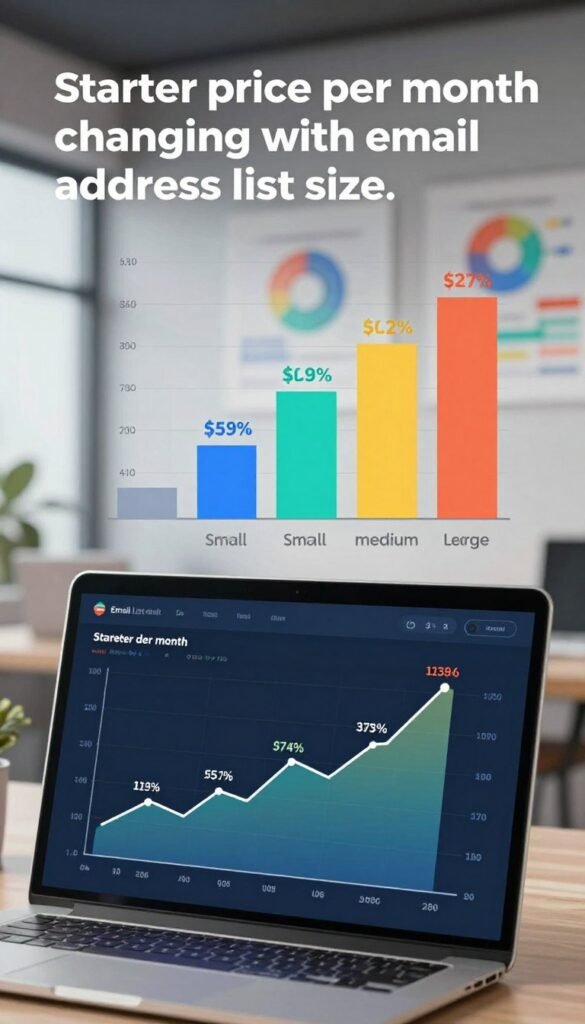
| Email addresses | Starter price per month | Position in the listed ladder |
|---|---|---|
| up to 1,000 | $19 | lowest listed bracket |
| 2,500 | $29 | next bracket |
| 5,000 | $54 | middle listed bracket |
| 10,000 | $79 | larger-list bracket |
| 100,000 | $539 | highest listed bracket |
Some list sizes between those table entries have their own listed prices. Starter costs $174 per month for 25,000 email addresses and $299 per month for 50,000. Those points help show how the price can move as your audience grows.
Your email list may change during the year, especially after a product launch or signup drive. A price bracket close to your current count may not stay close if those campaigns bring in many new contacts. Compare the price for the bracket closest to your expected list size.
Use the count you expect to maintain, rather than a brief peak or a past total. That gives you a more useful starting point for budgeting your Starter account.
How Annual Billing Changes Your Cost
Annual billing reduces the stated plan rates by 18%, while local taxes may apply to the listed net amounts. The billing period changes the rate you pay for Starter, Marketer, or Creator. The annual rates below are shown as monthly amounts when you pay for the year.
Monthly and annual rates
GetResponse advertises an 18% discount for annual billing. Compare the two billing choices using these stated rates:
- Starter: $19 per month with monthly billing, or $15.58 per month when paid annually.
- Marketer: $59 per month with monthly billing, or $48.38 per month when paid annually.
- Creator: $69 per month with monthly billing, or $56.58 per month when paid annually.
Before choosing, check three points:
- The billing period.
- The rate for your selected plan.
- Whether the annual commitment suits your business.
Net prices and local taxes
Listed prices are net amounts, so local taxes may apply. The amount due can be higher than the displayed rate when tax applies in your area. Include that added cost when you compare the monthly and annual choices.
Annual billing can lower the stated rate, but it also ties your payment to a longer period. Consider whether your needs and budget are likely to stay steady across that term. Use the checkout total, including any applicable local tax, when setting your budget.
How to Choose a GetResponse Plan
Choose the lowest tier that covers your essential work, then weigh its cost against your audience and team needs. Start with the work you need to do, rather than a plan’s longest feature list. This keeps the comparison focused on your actual campaigns.
Match the plan to the work
Use your core business situation to narrow the options. Each tier is built for a different set of needs, from direct email campaigns to specialized account requirements.

| Business situation | Plan to evaluate | Decision focus |
|---|---|---|
| straightforward email campaigns | Starter | core campaign requirements |
| advanced segmentation or sales-focused campaigns | Marketer | audience and sales workflow needs |
| courses, webinars, or paid newsletters | Creator | creator-tool requirements |
| specialized infrastructure or account requirements | Enterprise | custom requirements and pricing |
The useful choice is the lowest tier that covers your planned work. A higher tier can make sense when its added tools support campaigns you expect to run. If those tools would sit unused, the lower tier may be the better match.
Evaluate GetResponse plans pricing reviews
A useful GetResponse plans pricing review weighs contact-list growth, required tools, and team needs rather than judging tiers by headline cost alone. Reviews can help you spot common tradeoffs, but your own campaign plan should guide the final choice.
Consider how your list may change and which tasks your team needs to handle. A review that ignores those details may compare prices without showing whether a tier fits your work. Write down your must-have tools before deciding whether a higher tier earns its added cost.
Check User Limits Before You Commit
Account access ranges from three users on Starter to unlimited users on Enterprise. Marketer and Creator each include five users. Team size can shape the choice, even when the marketing tools seem to fit.

Account access can decide the tier when your team needs more seats than a plan allows.
Compare account access by plan
Starter includes three users per account. Marketer and Creator each include five users, while Enterprise includes unlimited users. Count everyone who needs their own account access, not only the person who sends campaigns.
Different roles may need access for different reasons. One person may build email, while another reviews contacts or checks campaign results. Your plan should allow the people who handle those tasks to reach the account.
Prepare for team growth
Use this checklist before you choose a tier:
- Count the people who need account access.
- Separate regular users from occasional collaborators.
- Consider planned team growth.
- Include access needs in the tier decision.
Account access can be a deciding factor even when the marketing tools otherwise fit. A growing team may need more seats later, so consider upcoming hires or added roles when you count users.
Compare the stated user allowance with everyone who needs access to the account. A complete count should include staff who manage contacts, email, or account settings.
Conclusion
The best GetResponse choice is the tier that matches your real campaign needs and expected list size. Pick features you plan to use, not tools that only sound useful. Your contact list size also shapes the cost as your audience changes.
Build your budget around the billing period, any local taxes, and the people who need account access. Those details can affect the amount you pay and whether the account works for your team.
Before choosing, estimate your contact count and write down the tools your campaigns require. Set your expected contact count and must-have features side by side before selecting a plan.