
GetResponse is a strong fit if you want email marketing and related tools in one platform, but its value depends on whether you need features reserved for higher plans. In 2026, Starter includes one automation workflow and unlimited monthly email sends. That contrast matters: you can send often, but your access to automation stays limited.
Choosing an email marketing platform means weighing its email marketing tools against your budget and daily needs. GetResponse combines campaigns with other marketing tools, so you can keep more work in one place. The best choice comes down to how much of the wider platform you will actually use.
Key Takeaways
- Starter pairs unlimited monthly sends with one automation workflow.
- The platform combines email, pages, funnels, webinars, and courses.
- Some tools and higher limits require a higher plan.
- Form and email editors have design limits to consider.
- Choose based on the connected tools your campaigns need.
What Are the GetResponse Pros and Cons?
The main advantage is having email and connected marketing tools under one roof, while the main drawback is that the broader toolkit can add cost and complexity. GetResponse is an email marketing platform with features for lead capture, automation, and selling content. Those options can help when your campaigns need several steps.
Its value is clearest when your team will use more than email alone. A small business might collect contacts on a landing page, send a welcome series, then invite leads to a webinar. A simple newsletter program may not need those extra tools.
GetResponse offers its clearest advantage when you will use several connected tools rather than email alone.
Here are the main advantages to weigh before choosing:
- Combine email campaigns, landing pages, a website builder, sales funnels, webinars, and course creation.
- Build visual workflows that respond to contact activity and campaign events.
- Capture leads with forms and pages, or monetize courses and paid newsletters.
- Connect Shopify and WooCommerce stores to marketing workflows.
There are also trade-offs that can affect your daily work and budget:
- The range of features can create a learning curve for new users.
- Plan limits place some tools and higher capacities behind paid tiers.
- Form and design editors may not offer every control your team expects.
- You may pay for tools that a basic newsletter program does not need.
GetResponse offers its clearest advantage when you will use several connected tools rather than email alone.

What Does GetResponse Include Beyond Email?
A new contact can enter through a form or landing page, then receive email and other campaign messages from the same platform. GetResponse supports six email types, from newsletters to advanced automations. Its larger set of marketing tools can connect each step, though the extra options may feel like clutter if you only send basic emails.
The full feature set is most useful when your campaign has connected steps. You can collect contact details, group people by their interests, then send relevant messages. The platform gives you several ways to continue that contact’s experience.

Capture contacts with pages, forms and popups
GetResponse provides landing pages, forms, and popups for collecting contact details. You can use a landing page to explain an offer, then place a signup form beside the details a visitor needs. Popups can invite visitors to join a list while they browse your website.
After a person signs up, you can store their details as a contact and send a newsletter or autoresponder. A survey can gather preferences, while an A/B test can compare campaign versions. RSS newsletters can also turn new site posts into email updates.

Connect campaigns through funnels and other channels
Sales funnels organize steps that guide a contact from first visit to a purchase or other goal. A website builder, chat, and webinars can add more ways to reach people. You can use these tools with email, rather than managing each activity in a separate service.
For example, a webinar signup can lead to reminder emails and a follow-up offer. A course creator can use email to announce lessons or invite contacts to enroll. Treat the feature list as a set of tools to match to your actual campaign process.
How Much Do GetResponse Plans Cost?
The 2026 paid plans start at $19 per month for Starter, $59 for Marketer and $69 for Creator, with annual-billing rates lower for each. The price you see depends on your contact-list size. An annual-billing rate is a monthly equivalent, not the monthly billing price.
Starter costs $19 monthly, while paying annually brings its monthly equivalent to $15.58. The rates below show the main paid plans at the listed contact size.
| Plan | Monthly price | Annual-billing monthly price |
|---|---|---|
| Starter | $19 | $15.58 |
| Marketer | $59 | $48.38 |
| Creator | $69 | $56.58 |
Monthly and annual prices for the main paid plans
Each paid plan’s price is tied to the size of your contact list, so a larger list can change your cost. The annual-billing figure spreads the yearly payment into a monthly amount. If you prefer to pay month by month, use the monthly price for your budget.
Searches for GetResponse pros and cons in 2021 concern an older plan snapshot. These 2026 prices describe the current choice in this review, not what plans cost five years earlier.
How plan features shape the price
Plan features also affect the step up. Starter allows three users and limits AI tools to three uses. Marketer adds unlimited marketing automation and ecommerce tools, while Creator includes webinar and course features.
Enterprise uses custom pricing. It includes SMS marketing, transactional emails, a dedicated IP address, and single sign-on. Compare the plan’s included tools with the features your campaigns will actually use before weighing its price.
What Do the Free Account and Trial Include?
GetResponse gives you a 14-day account period with premium-feature access, while its free plan has specific contact, sending and page limits. The ongoing free plan supports fewer than 500 contacts, 2,500 newsletter emails per month, and one landing page. The trial period and free-plan allowances are separate options.
The free account can help you test campaign tools, but it has limits that affect real use. Its webinars can host 10 people, counting the account holder and presenters. A badge also appears on every message sent from the free account.

| Free-account feature | Stated limit | Practical detail |
|---|---|---|
| Webinar attendance | 10 people | Includes the account holder and presenters |
| Recording | One, up to 30 minutes | Can create one on-demand webinar |
| Landing-page traffic | 1,000 unique visitors monthly | Limit applies to landing pages |
| Message branding | GetResponse badge | Appears on every sent message |
A free account can record one webinar of up to 30 minutes, then use that recording to create one on-demand webinar. The landing-page visitor limit is 1,000 unique visitors per month. These details can shape whether the free account can support a public campaign.
The 14-day period gives you access to premium features, while the free plan’s core allowances continue under their own limits. Match the free plan’s contact, email and landing-page allowances to the campaign you want to test.
How Flexible Are GetResponse’s Email Templates and Editor?
The editor combines a library of 263 email templates with drag-and-drop controls for building and reusing message blocks. You can add content blocks, insert custom HTML, and save blocks for later emails. Template quantity and editing flexibility are separate considerations.
The editor can help you build a campaign without starting from a blank page. Reusable blocks save time when the same button, footer, or content section appears in many messages. Custom HTML gives experienced users another way to shape an email.

GetResponse has 263 email templates, but it lacks reusable global heading and text styles. That means repeated formatting may need manual changes in each message. The template library can speed up a first draft, yet it does not remove that style task.
Subject-line and email-content A/B testing let you compare campaign choices. A subject line may attract a different response from a change to the message itself. Check whether the available style controls suit the brand consistency you need across recurring emails.
How Capable Is GetResponse Marketing Automation?
GetResponse automation can route contacts into different actions based on opens, clicks, page visits or purchases. You build a workflow from triggers, conditions, actions, and filters. More involved journeys take planning and can challenge a beginner.
For example, a new contact can enter a welcome journey and receive a first email. A click can trigger a follow-up, while a purchase can lead to a different message. These workflows let you respond to activity instead of sending every contact the same campaign.
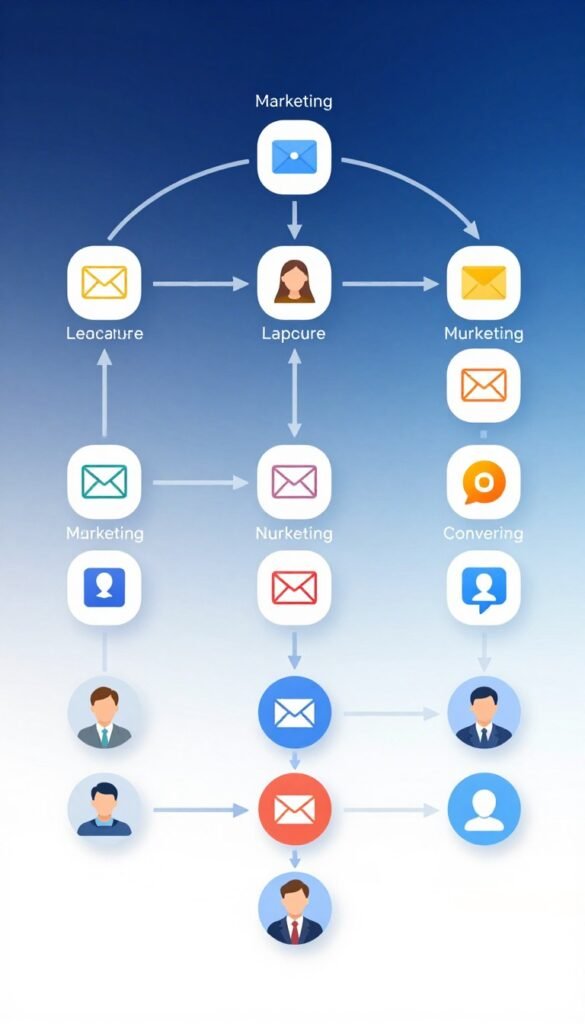
Build journeys from triggers, conditions and actions
A trigger starts the workflow, and a condition checks whether a contact meets a rule. Actions can send a message, assign a score, change a tag, or update contact data. Filters can help route contacts through the path that fits their activity.
A welcome journey might send an introduction, then branch after a contact opens or ignores it. A page visit could lead to a related offer. The visual workflow builder makes the steps visible, but you still need to decide what each branch should do.

Match automation access to your plan
Starter gives you one automation workflow, while Marketer includes unlimited marketing automation and ecommerce tools. Marketer also supports up to five users. That access can matter when several people manage campaigns or need to build different journeys.
Do not build a long chain just because the editor allows one. A clear follow-up after a click may be more useful than a complex path that nobody on your team can maintain. Start with the one customer journey you most need to automate and assess its required triggers and actions.
Can GetResponse Build Landing Pages and Forms?
GetResponse can combine a landing page, signup form and follow-up email in one lead-capture flow. Its drag-and-drop page builder can make pages for signups or campaign offers, and landing pages support A/B testing. Forms offer less freedom for custom fields, CSS editing, and embedding.
A campaign page can describe a guide, event, or offer, then collect contact details. You can test page versions to compare how each one performs. Forms also have templates and an editor, so you can shape a signup without building it from scratch.

Create and test landing pages
Landing pages can include forms and videos, which helps you pair an offer with a clear signup step. For example, a page can invite visitors to a webinar and collect their email address. After signup, a welcome journey can send confirmation and event details.
These assets can support different lead-capture jobs:
- A campaign landing page for a guide or product offer.
- A signup form placed on a business website.
- A popup that invites visitors to join an email list.
- A webinar registration page with event details.

Consider the limits of form customization
The form editor has templates, but custom-field options are limited. You may have fewer ways to gather specialized details than a dedicated form tool offers. CSS editing and form embedding options are limited as well.
That may be fine for a basic email signup, but a complex form can need more control. Make sure the form controls fit the fields and site placement your lead-capture process requires.
What Does GetResponse Offer Online Stores?
An online store can connect GetResponse to its ecommerce platform and use purchase activity in targeted campaigns. It supports Shopify, WooCommerce, Magento, PrestaShop, and BigCommerce. Ecommerce tools are tied to the relevant paid-plan level.
Store connections can help you use purchase history to group contacts and tailor messages. A campaign might suggest products based on customer activity, share a promo code, or track sales linked to email. Abandoned-cart messages can remind shoppers about items they left behind.

Marketer includes unlimited marketing automation and ecommerce tools, including abandoned-cart recovery and sales funnels. Shopify and WooCommerce are familiar examples for stores that want campaign activity tied to their shop. The relevant plan can also support product recommendations and sales tracking.
A store that sends only basic newsletters may not need this extra suite. The value comes from using customer activity to shape more than a general email blast. Choose the ecommerce features you need first, then check that your intended plan includes them.
How Does GetResponse Handle Contacts and Segmentation?
GetResponse’s contact management supports tags and segments, but a removed record can still affect the plan’s contact limit. Segments can use contact data, engagement, tags, lead scores, purchase history, or webinar and course participation. Unsubscribed, bounced, and other removed contacts still count.
That rule means cleaning a list may not lower its counted total. GetResponse offers contact-size options of 1,000, 2,500, 5,000, 10,000, 25,000, 50,000, and 100,000 for Starter, Marketer, and Creator.

| Contact status | Counts toward GetResponse limit | Why it matters |
|---|---|---|
| Unsubscribed contacts | Yes | Remain in the limit |
| Bounced contacts | Yes | Remain in the limit |
| Other removed contacts | Yes | Remain in the limit |
Users can also share access with teammates. Starter supports three users, while Marketer and Creator support up to five users each. The contact limit and user limit measure different parts of your account.
Segments can help you send a message to people with a shared interest or recent action. Tags give you another way to group and label contacts as your campaigns grow. Keep the counted-contact total in view when comparing your list size with a plan’s allowance.
Can You Host Webinars or Sell Courses with GetResponse?
GetResponse Creator brings webinars, a website builder, course creation and paid newsletter subscriptions into the same plan. It supports webinars for up to 100 attendees and courses for up to 500 students. Those tools suit creators who need more than email delivery.
Having email campaigns beside registration, webinar delivery, and course promotion can simplify a creator’s setup. You can invite people to an event, send reminders, and follow up with related course content. This can reduce the need to manage each step in a separate platform.

Run webinars inside the marketing platform
Webinars can serve as live lessons, product demos, or sessions that introduce a paid course. Registration and email reminders can help you keep attendees informed. After the event, you can send follow-up messages based on the content you shared.
A creator may connect an event to a longer course offer. Another may use a webinar to answer questions before enrollment. These steps put audience communication beside the event itself.

Build and monetize course content
Creator includes a course tool for up to 500 students, a website builder, and paid newsletter subscriptions. You can promote course content through email and keep course updates close to your campaign work. A creator who only wants to sell a paid newsletter may find the larger webinar and course bundle excessive.
Common creator uses include:
- Webinar registration and attendee reminders.
- Course promotion and enrollment messages.
- Student follow-up after a lesson or event.
- Announcements for paid newsletter readers.
Choose the Creator tier when you will use its learning or audience-monetization tools alongside email.
Which Integrations and Channels Can You Use?
GetResponse can connect familiar store, website and CRM tools directly, while Zapier and its API offer other connection paths. Named integrations include Shopify, WooCommerce, Magento, PrestaShop, BigCommerce, Salesforce, Facebook, and WordPress. Zapier and the API can cover needs beyond direct connections.
Direct connections can sync activity between a store and your campaigns. Zapier links apps when no direct route fits, while the GetResponse API can support a tailored setup. The best route depends on the system and information you need to connect.

| Connection route | Examples | When it helps |
|---|---|---|
| Direct ecommerce connections | Shopify and WooCommerce | Sync store and contact activity |
| Zapier | Connected apps | Link tools without a direct route |
| API | Custom integration | Connect a system needing a tailored setup |
The platform also offers a website builder, live chat, web push notifications, and paid-ad management. These tools add ways to reach people beyond email. They can help if your team wants campaign activity and other channels in one place.
Some integrations matter more than others for your daily work. List the systems your campaigns rely on and confirm that each has a workable connection route.
How Strong Are GetResponse Reporting and Deliverability Tools?
GetResponse reports opens and clicks and provides a visual click map, with Google Analytics and ecommerce tracking connections for added context. Campaign reports can help you see which messages earn attention. Teams needing detailed revenue attribution or advanced report filters should assess the reporting depth.
The click map shows where people interact with an email, adding context beyond a total click count. Google Analytics and ecommerce tracking can connect campaign activity with site visits or store actions. That can help you judge how email relates to behavior after a click.

Before sending, a spam checker can flag issues that may affect a message. An inbox preview lets you check how the email may appear in different inbox settings. These checks give you a chance to catch problems before a campaign goes out.
DKIM, DMARC, and SPF are domain authentication methods. They help receiving email services check that a message is authorized to use your sending domain. Decide which campaign outcomes you need to measure before relying on the platform’s reports.
What Are GetResponse’s Usability and Support Trade-Offs?
GetResponse pairs a broad interface with 24/7 live chat and email support, so the learning curve and help options both matter. Many tools sit in one platform, which can take time to learn. More involved segmentation and workflows need extra setup time.
Support is available through live chat and email at any time, and a knowledge base offers self-help. Enterprise adds a dedicated Customer Experience Manager, deliverability consulting, and custom sending infrastructure. That higher-level support may matter to teams with complex sending needs.

Before choosing, consider how your team will handle the work:
- How many of the platform’s tools will your team use?
- How complex will your first workflow be?
- Who will own campaign setup and upkeep?
- What kind of support will your team need?
- Would Enterprise assistance matter to your operation?
A small team may have one person managing email, pages, and automation. Larger teams may divide tasks but need clear ownership for each tool. Factor the time your team will spend learning and maintaining the tools into your value assessment.
How Does GetResponse Compare with Mailchimp and HubSpot?
The strongest alternative depends on whether your priority is an all-in-one campaign toolkit, tightly defined email allowances or CRM-linked marketing contacts. GetResponse combines email and connected marketing tools. Mailchimp sets clear audience and send limits, while HubSpot ties marketing contacts to its CRM.
Compare the contact rules as well as the listed price. The free options below use different limits and terms, so the same list may fit one platform better than another.

| Platform | Free-plan access | Stated free-plan limits or terms |
|---|---|---|
| GetResponse | Free plan | Fewer than 500 contacts, 2,500 monthly newsletter emails, one landing page |
| Mailchimp | Free plan | 250 contacts, 500 monthly sends, 250 daily sends, one audience, one user |
| HubSpot | $0 per month | Up to two users, no credit card |
Compare the free plans and contact rules
Mailchimp Free pauses live and test email sending if an account exceeds 250 contacts. Mailchimp counts subscribed, unsubscribed, and non-subscribed contacts. Archived, cleaned, and deleted contacts do not count toward its limit.
Its paid tiers raise contact and send allowances in steps. Essentials starts at 500 contacts, supports up to 50,000, and allows monthly sends equal to ten times the contact limit. It includes up to three audiences, three seats, and automation flows of up to four steps.
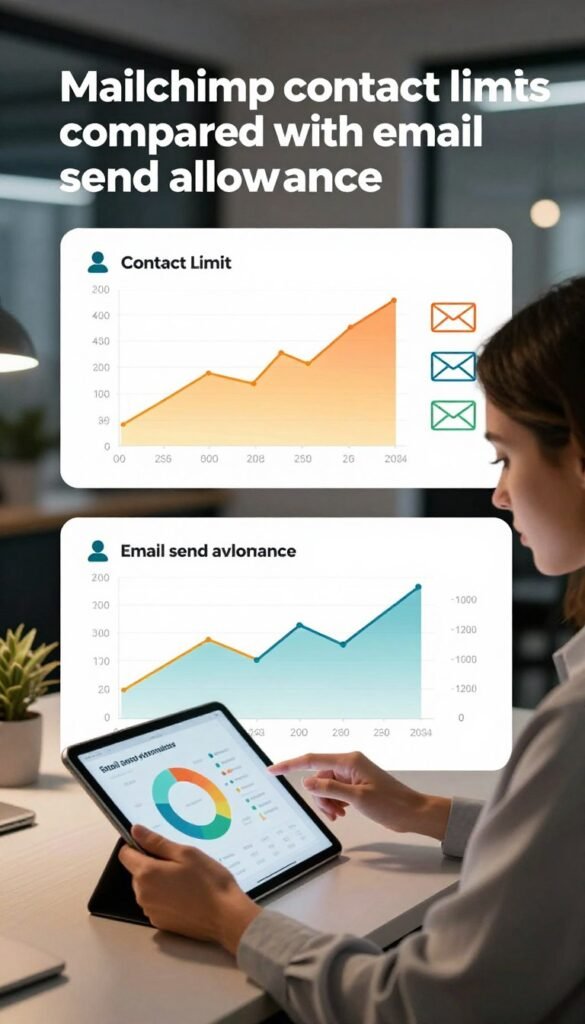
Compare the paid tiers and their intended scale
Standard supports up to 100,000 contacts and monthly sends equal to 12 times the contact limit. It allows five audiences and five seats, with advanced segmentation and multivariate testing. Premium supports up to 200,000 contacts and sends equal to 15 times the contact limit each month.
HubSpot Starter lists 1,000 marketing contacts and starts at $7 per seat monthly with monthly billing, or $20 with annual billing. It includes up to 50 active CRM segments and 1,000 static CRM segments. Professional starts at $800 monthly or $890 with annual billing, includes three Core Seats and 2,000 marketing contacts, and requires a one-time $3,000 onboarding fee.
Professional includes 3,000 HubSpot Credits. Enterprise starts at $3,600 monthly, includes five Core Seats and 10,000 marketing contacts, and requires a one-time $7,000 onboarding fee. It includes 5,000 HubSpot Credits. Compare contact definitions and required onboarding costs along with the headline monthly prices.
Who Should Choose GetResponse, and Who Should Look Elsewhere?
Choose GetResponse when you expect to use its email tools alongside automation, lead capture or other marketing features. It can suit a small or midsize business, freelancer, online store, or creator that needs several connected tools. It is a weaker fit when you need only a basic newsletter sender.
The platform can bring email, landing pages, sales funnels, webinars, website building, and course creation together. Contact tools include tags, lead scoring, and segmentation. A creator focused only on paid newsletters may not need the wider set, while a sales team may need full CRM functions for pipelines and deal tracking.
Match your choice to the work your team must do, not to the length of a feature list.
Use this short checklist to judge fit:
- Which channels will your campaigns use?
- What automation does your customer process need?
- Does your store need ecommerce marketing tools?
- How will your team divide campaign work?
A company that uses several connected features may get more from the platform than a team sending a monthly update. Make your decision by matching the plan’s actual tools to the campaigns and workflows you need to run.
Conclusion
GetResponse is a practical option when its wider marketing toolkit solves several needs at once. Its value depends on whether you will use those connected features, and the right plan depends on your automation and other campaign needs.
Start with a campaign your team already plans to run. Identify the email, page, and workflow tools it requires, then compare those needs with the plan that fits your contact list. Choose one real campaign to test against the plan’s included tools before making your decision.