
GetResponse is worth considering if you want email campaigns, automation, and lead-generation tools under one roof, but it may be more than you need for a basic newsletter. One account can connect email with landing pages, webinars, and customer follow-up. That range can save time when your marketing work spans several channels.
The trade-off is simple: you get more tools than a newsletter sender, along with more features to learn and manage. This getresponse honest review looks at the product’s everyday uses, limits, and costs. You can use it to judge whether its marketing tools match your needs, rather than choosing by feature count alone.
A small business with a growing contact list may value having campaigns and lead capture in one place. A solo writer who sends one monthly update may prefer a simpler service. More tools matter only when they replace work you already do elsewhere.
Use the feature breadth only if it replaces tools you would otherwise pay for.
Key Takeaways
- GetResponse combines email with landing pages, automation, and other marketing tools.
- GetResponse Free can test basic sending, but its contact and message limits are firm.
- Paid plans differ in workflow access, and the right choice depends on your tasks.
- Creator adds webinar and course tools for people selling educational content.
- Teams needing sales pipelines should pair GetResponse with a separate CRM.
GetResponse Honest Review: What Is the Verdict?
The short verdict is that GetResponse’s strongest case is bringing email, automation, and lead-generation tools together in one platform. Marketing automation means rules-based workflows that send messages or update contact data in response to a person’s actions. That can help you connect sign-up forms, campaigns, and follow-up without moving between several tools.
GetResponse lists email marketing, marketing automation, landing pages, SMS, web-push notifications, forms and popups, funnels, and webinars among its products and features. The range of connected marketing tools can suit a business that runs several kinds of campaigns. The value comes from using the tools together, not from simply having access to them.

Choose an all-in-one platform only when its tools match work you actually need to do.
For example, a team may collect leads on a landing page, send a welcome email, and later group contacts by behavior. Keeping those steps in one platform can make campaign work easier to manage. It can also mean learning a broader interface than a basic email sender requires.
GetResponse is not automatically the best choice if you need a specialist CRM with a sales pipeline. It may also be excessive if you only send basic broadcasts and do not need connected marketing features. A broad feature set does not replace a tool that handles a specialized job better.
Treat the breadth as useful only when the tools match work you actually need to do.
What Do You Get on GetResponse Free?
A free account can test the basics, but its contact cap and monthly message ceiling limit how far you can use it. GetResponse Free allows up to 500 contacts on the account, including unconfirmed and removed contacts. Deleting contacts does not reset that cap, so it differs from the monthly message limit.
The plan allows up to 2,500 newsletters per month, within a broader 2,500-message limit. That count includes newsletters, autoresponders, A/B tests, automation messages, and messages already in progress. Sending stops when the monthly message limit is exceeded.

You do not need a credit card to open a Free account. You can build and save newsletter, autoresponder, and workflow drafts, then use them later. Leads collected through forms can stay in a queue for 32 days, which matters if you do not check new sign-ups often.
Free includes a website or landing-page builder, but it does not include marketing automation. Premium-feature access lasts 14 days, after which access becomes limited unless you upgrade. That trial window does not make every feature unrestricted, and webinars, messages, landing pages, automation, and chats have limits.
A small list can test the basics, but ongoing sending may run into the message ceiling. Count the whole account when estimating the contact limit, including contacts you removed. Count every contact on the account, including removed ones, before deciding the free tier will hold your list.
How Much Does GetResponse Cost?
Starter begins at $19 per month, while Marketer and Creator cost $59 and $69 per month, respectively. Annual billing lowers the monthly equivalent for those tiers, while Enterprise uses custom pricing. The plan lineup was reorganized in January 2025, so older price comparisons may describe a different set of plans.
Paid plans include unlimited monthly email sends. Your bill still depends on contact-list size and the features you need. The table shows the listed starting prices and workflow access.
| Plan | Monthly price | Monthly equivalent with annual billing | Automation workflows |
|---|---|---|---|
| Starter | $19 | $15.58 | 1 custom workflow |
| Marketer | $59 | $48.38 | Unlimited |
| Creator | $69 | $56.58 | Unlimited |
| Enterprise | Custom pricing | Custom pricing | Unlimited |

Enterprise also lists SMS marketing and single sign-on. Those features may matter to a larger team with specific security or messaging needs. Do not compare a plan by price alone; check whether its included tools fit your actual work.
People looking for a GetResponse honest review from 2022 or a GetResponse honest review from 2021 may see older plan names and prices. Those reviews predate the January 2025 lineup. A price from an earlier plan structure may not map cleanly to Starter, Marketer, Creator, or Enterprise.
Compare the annual monthly equivalent with your expected feature use before choosing a tier.
How Well Does GetResponse Handle Email Marketing?
For standard newsletters and campaign emails, GetResponse gives you a drag-and-drop editor and several message formats in one place. Routine campaigns are easy to assemble when you can reuse content blocks instead of starting from a blank page. You can build newsletters, autoresponders, RSS newsletters, surveys, and A/B tests.
The editor suits common email marketing tasks, such as a product update or a monthly note. You can add images, buttons, and product blocks, then adjust the layout with drag-and-drop controls.
What You Can Build in the Email Editor
Reusable blocks help keep a campaign consistent when you send similar emails often. A saved header or button can reduce repeat work, while an autoresponder can deliver a planned message after someone joins your list. Those tools are useful for a small team that needs a steady campaign process.

The available message formats let you handle more than one type of send. A survey can collect feedback, and an RSS newsletter can share new site content. The getresponse email editor is practical for these jobs, though design-focused users may want finer control.
Where Campaign Design Falls Short
GetResponse lacks global style controls, so making a change across many templates may take extra editing. Some templates can also look dated beside a brand’s current website. Preview the finished email carefully if your colors, spacing, and type need to match a strict brand guide.
Marketer and higher support A/B tests with up to five variants. You can compare subject lines or other campaign elements, then use the result to guide later sends. Before sending, run through these practical checks:
- Open the mobile preview and check the layout.
- Review the subject line and sender name.
- Test links and calls to action.
- Check the design and spam warnings.
Preview the email on mobile and check every destination link before sending.
Can You Build Useful Marketing Automation?
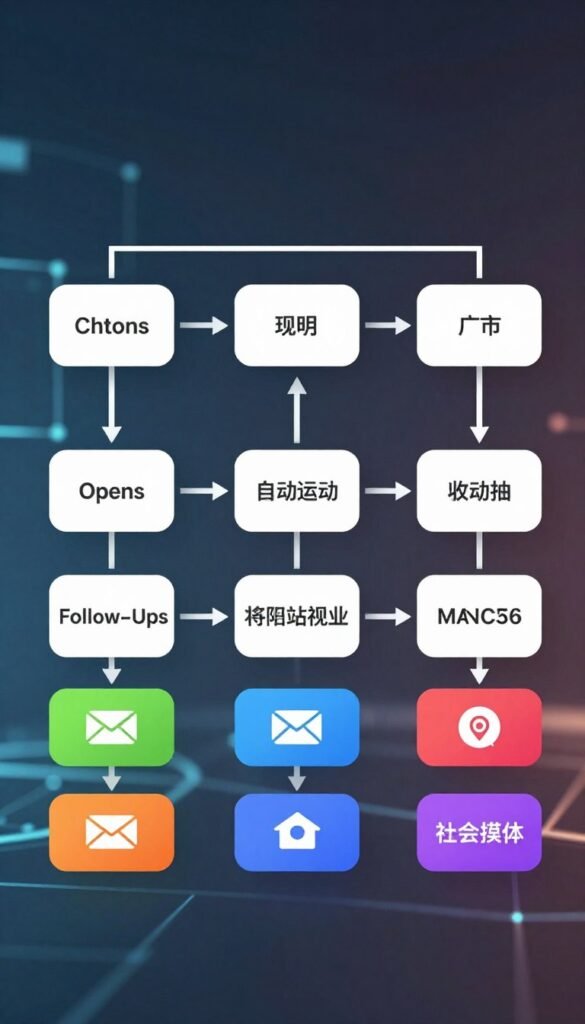
GetResponse can build behavior-based workflows for common tasks such as welcoming new contacts and following up on abandoned carts. The visual workflow builder uses Conditions, Actions, and Filters to shape what happens after a person’s behavior. You can branch a path, send a message, add a tag, or update contact data.
Its building blocks cover standard nurture and re-engagement work without requiring code. A welcome sequence can send an introduction after sign-up, then branch based on whether a person clicks. An abandoned-cart reminder can follow a shopper who leaves before buying.
Workflows for Common Customer Journeys
Workflow templates cover welcome messages, abandoned carts, post-purchase follow-up, lead scoring, and webinar follow-up. These templates can give you a starting shape, but you still need to set the timing and content around your own audience. Conditions let the journey change as people respond.
A common workflow often uses these parts:
- A trigger that starts the workflow.
- A condition that checks contact behavior.
- A message sent at the right point.
- A wait step before the next action.
- A contact update or tag for later use.
Limits for Automation-Led Teams
For standard nurture and re-engagement, the builder can cover useful daily needs. Teams that depend on complex automation-led growth may want deeper testing of workflow paths. A specialist automation tool may offer more ways to compare how different branches perform.
That distinction matters when a business tests many customer journeys at once. More options can help a team inspect a workflow, but they can also add setup work. Keep the path easy to follow when a simple sequence can do the job.
Sketch the trigger and the desired next action before building a multi-step workflow.
Are GetResponse’s Landing Pages and Funnels Worth Using?
GetResponse’s landing-page builder is a useful extra if you want to connect lead capture with email follow-up without adding another tool. It can handle simple campaign pages with a drag-and-drop editor, templates, and forms. Paid GetResponse plans allow unlimited landing pages.
The builder is most useful when a page supports a clear campaign goal. You can create a lead-capture page, a webinar sign-up page, or a sales path through Conversion Funnel.
| Capability | Access | Practical use |
|---|---|---|
| Free landing page | One page | Start a basic lead-capture page |
| Paid landing pages | Unlimited pages | Build pages for multiple campaigns |
| Conversion Funnel | Lead-generation, webinar, or sales scenario | Connect campaign steps into a funnel |

Templates can speed up setup, and forms can capture details for follow-up. Marketer and higher include landing-page A/B testing, which lets you compare versions. The Conversion Funnel feature supports lead-generation, webinar, and sales-funnel scenarios.
Page design and mobile controls may not suit every brand. A business with strict design rules may find the builder less flexible than a dedicated page tool. Check the page at phone size, where a long form or crowded button can be harder to use.
Test the page on a phone as well as a desktop before directing paid traffic to it.
How Does GetResponse Work for Ecommerce?
For a small online store, the most practical GetResponse ecommerce use is connecting customer behavior to follow-up emails. Purchase history can shape segments and help you send messages that fit what a customer bought. Shopify and WooCommerce can connect product and contact data with GetResponse.
Store activity can guide the next email, including an abandoned-cart reminder or a message after a purchase. That makes the platform useful for sales follow-up, without making it the store system itself.

Common ecommerce scenarios include:
- Recover an abandoned cart.
- Follow up after a purchase.
- Segment customers by purchase history.
A targeted message can be more relevant than sending the same offer to every contact. For example, a store can group customers by previous purchases and tailor later emails. The value depends on which customer behavior and product details your connection can use.
An email platform can support store marketing without replacing the store platform. A shop with complex operational needs should assess whether the available workflows cover them. Do not assume marketing automation handles every store task, such as inventory or order operations.
Check which store events and customer fields will sync before relying on a purchase-based campaign.
What Do GetResponse’s Webinars and Course Tools Include?
GetResponse’s Creator tools make the most sense when you plan to run webinars or sell structured course content. The event and teaching tools sit beside email, so you can connect sign-ups and follow-up within the same platform. Newsletter-only publishers may have little use for these extras.
Creator supports webinars with up to 100 attendees and recording. The course creator supports up to 500 students, which gives a small educator room to build a paid learning offer.
Webinar Hosting for Live Events
Webinar registration can connect with email campaigns, giving you a way to invite people and follow up after the event. You can use messages to remind registrants about the session, then send a later note to attendees. Recording can help people revisit the session after it ends.

The 100-attendee limit is best suited to smaller live events. A large conference or a session with a broad audience may need another hosting service. Consider the limit before building an event plan around this feature.
Course Creation for Paid Content
The course creator gives you a way to arrange educational content for students. Its 500-student capacity may suit a focused course or a smaller creator business. You can keep course activity closer to your email marketing work, rather than managing every step in separate tools.
A dedicated course platform may fit better if teaching is your main business and you need specialized learning features. Choose the added tools for a real course or event, not because they appear in a feature list. Choose this tier for the event or course workflow, not just for a newsletter feature you may never use.
Can GetResponse Replace a Website, Form, or Chat Tool?
GetResponse can cover several smaller website and communication jobs, but access to some channels depends on your plan. Forms come in several formats, including inline, popup, slide-in, and embedded forms. A website builder can also help you put up a simple site alongside your campaigns.
Some communication channels start only on higher tiers. The table shows the starting access and the main role of each tool.
| Tool | Starting access | Practical role |
|---|---|---|
| Web push | Marketer+ | Re-engage site visitors |
| Live chat | Creator+ | Answer questions on site |
| SMS | MAX | Send marketing text messages |
| Mobile push | MAX | Reach app users |

Web push can reach site visitors, while live chat gives visitors a way to ask a question. SMS and mobile push are listed under MAX. These tools can add useful contact points, though access depends on the service level you choose.
A website builder may be enough for a simple site with a few pages and basic needs. It is not, by itself, a reason to replace a specialized website platform. A company with detailed design, content, or store needs may want a dedicated site system.
Confirm that the tool you need is included in your tier before building it into a campaign.
How Strong Are GetResponse’s Reporting and Deliverability?
GetResponse gives you campaign metrics and deliverability tools, but good results still depend on your list and sending practices. Reports can show opens, clicks, contact activity, and campaign comparisons. Those details help you see which emails draw attention or prompt action.
Metrics guide decisions, but they do not tell the whole story. Privacy settings can affect open tracking, and automated bot activity can affect clicks. Read each result as a signal, not a complete record of every person’s behavior.
Campaign and Conversion Reporting
Comparing campaigns can help you spot changes in subject lines, timing, or calls to action. Conversion data can connect an email to a result, such as a sign-up or sale, when you have tracking set up. That makes the reporting more useful than an open rate alone.

Authentication and Inbox Placement
Sender-domain authentication helps mail systems confirm that your messages come from an approved sender. List hygiene also matters: invalid or disengaged contacts can harm sending results. Spam and design checks can catch problems before a campaign reaches your audience.
EmailToolTester’s January 2024 seedlist test recorded a 90.9% inbox placement result for GetResponse. That is a dated test outcome, not a current delivery guarantee for every sender. Your content, list, domain setup, and recipient mail systems can affect placement.
Good sending habits remain your responsibility, even when a platform offers reporting and checks. Authenticate your sending domain and remove invalid or disengaged contacts before increasing campaign volume.
Which Integrations Does GetResponse Support?
GetResponse has integrations across ecommerce, websites, automation, and payments, including Shopify, WordPress, Stripe, and PayPal. The listed tools also include WooCommerce, Magento, and Zapier. Those names cover several common parts of a small business’s software stack.
A listed integration does not mean every field or action will sync. A store connection may pass some product and contact details, while a payment connection may serve a different purpose. The exact data flow matters more than the connection’s name.

Shopify, WooCommerce, and Magento can fit ecommerce use. WordPress covers a common website setup, while Stripe and PayPal relate to payments. Zapier can connect workflows across services, though the available actions depend on the apps involved.
Check whether the exact data and actions you need are supported in each connection. Do not assume an integration copies every record or keeps all fields in sync. Verify the specific fields and events that need to pass between your tools before migrating.
Is GetResponse Easy to Use, and What Support Can You Expect?
GetResponse is manageable for routine campaign work, though its broad feature set can take time to learn. A modular dashboard and guided onboarding can help new users find their way. The number of tools may still make the first visits feel busy.
Support access changes by plan. Free includes email support, while paid plans include 24/7 live chat. Enterprise adds a dedicated sending domain, a dedicated IP address, and priority support.
Getting Started and Managing the Interface
A modular interface can group campaign tasks with the tools used to build them. Guided onboarding may point you toward common setup steps, but it cannot remove every learning curve. Users who only need a newsletter may see more menus than they expect.

Use this checklist to test the experience:
- Try a common task, such as making a newsletter.
- Find the help article for that task.
- Verify the support channel on your plan.
- Confirm whether your sending setup needs dedicated infrastructure.
Support Channels and Higher-Tier Help
Free users can contact email support, while paid users can use live chat at any time. Enterprise adds priority support for teams with more demanding sending needs. Its dedicated domain and IP address may also fit a business that wants separate sending infrastructure.
Test the help path before a deadline, rather than waiting until a campaign is blocked. Test support on the plan you intend to buy, using a real setup question rather than a generic inquiry.
What Do Customers Say About GetResponse?
Customer feedback on GetResponse includes praise for helpful support as well as complaints about account restrictions and sending blocks. Those reports describe different experiences, so neither should be treated as universal. GetResponse was founded in Poland in 1998.
Trustpilot displayed a 4.2 out of 5 rating from 1,045 reviews and 203 reviews in the last 12 months. GetResponse had replied to 11% of negative reviews and typically replied within 24 hours.

A review summary considered 148 reviews and described praise for helpful support. It also found complaints about account restrictions and email-sending blocks. These accounts can point to issues worth checking, but they cannot prove what every user will experience.
Trustpilot and G2 can help you compare consumer reviews. Recent, detailed accounts and repeated issue patterns are more useful than a star score alone. Look for cases similar to your own, especially in contact size and sending habits.
Read recent reviews that describe a similar account size and sending use case to yours.
What Are the Best GetResponse Alternatives?
The best alternative depends on whether your priority is a lower entry price, ecommerce marketing, or deeper automation. MailerLite and Brevo can fit simpler email needs, while ActiveCampaign offers a deeper automation option. Omnisend and Klaviyo may suit businesses where ecommerce is central.
Compare both the price and its audience basis, since some plans count contacts, others subscribers, profiles, or email volume. These listed starting figures and G2 ratings provide a quick comparison.
| Platform | Listed starting price and audience basis | Free plan or trial | G2 rating |
|---|---|---|---|
| Omnisend | $11.20 per month for 500 contacts | Free plan | 4.6 |
| MailerLite | $9 per month for 500 subscribers | Free plan | 4.6 |
| Brevo | $8.08 per month for 5,000 emails | Free plan | 4.5 |
| ActiveCampaign | $15 per month for 1,000 contacts | 14-day free trial | 4.4 |

Other options include Kit at $33 per month for 1,000 subscribers, with a free plan and a 4.4 G2 rating. Constant Contact starts at $12 monthly for 500 contacts, offers a free trial, and has a 4.1 rating.
Klaviyo starts at $45 per month for 1,500 profiles, has a free plan, and holds a 4.6 G2 rating. Mailchimp starts at $13 monthly for 500 contacts, has a free plan, and holds a 4.3 rating. These starting figures do not show every feature or billing condition, so compare the service each plan includes.
Compare each starting price on its listed audience basis, since contacts, subscribers, profiles, and email volume are not interchangeable.
Who Should Choose GetResponse?
GetResponse is a stronger fit when you will use several of its marketing tools, not just its newsletter sender. Connected email and lead capture can help a small team run campaigns without separate tools for every step. Contact management can use purchase history and customer behavior for ecommerce segments.
GetResponse can manage contact data, but it is not a sales CRM. It does not provide a deal pipeline, sales sequences, or quoting. A business that tracks sales opportunities will need a separate CRM for those jobs.

Use these points to match the product to your work:
- Choose it if you need connected email and landing pages.
- Consider it for standard nurture or store follow-up automation.
- Assess Creator if you need courses or webinars.
- Pair it with a separate CRM if you need deal tracking.
- Compare simpler email tools if you only send occasional newsletters.
Choose GetResponse when several marketing jobs fit its tools, and add a separate CRM for sales tracking.
A creator with an active course or webinar plan may use more of the platform than a writer sending occasional updates. A small store may value purchase-based segments, while a sales team may need stronger deal management. Match the tier to an actual task, rather than paying for a feature you may never use.
Choose the lowest tier that supports your real workflow, then upgrade only when a specific feature becomes necessary.
Conclusion
GetResponse can be worth the cost when its breadth solves several of your marketing jobs in one place. Connected email, automation, and lead generation can suit a team that would otherwise pay for separate tools. A simpler sender may be a better fit if you only need basic newsletters.
Try the Free account with a small, permission-based contact list, then test the features your campaigns require. That gives you a practical way to check the interface and limits before paying. Do not upgrade until a real task needs a paid feature or a higher limit.
Start with the Free account and upgrade only after confirming that its limits or missing features affect your work.