
GetResponse’s clearest verified discount is 18% with annual billing. That is a concrete saving for businesses that plan to use the platform throughout the year. The best choice still depends on whether you need paid features and how many people you expect to reach.
Your email marketing costs can change as your audience grows or your campaigns need more tools. A lower bill matters, but so does choosing a plan that supports the work you want to do. This guide compares the main ways to save with the features and audience tiers behind each offer.
Key Takeaways
- Annual billing offers a verified 18% discount.
- The free plan provides ongoing basic access.
- A 30-day trial lets you try premium features.
- Plan prices depend on audience size and features.
- Compare a discount code with its plan and billing term.
Your best deal starts with matching the billing term and features to the size of your list.
How to Find a GetResponse Discount
Start with the annual-billing option, then compare it with the free plan and any code offered for your chosen plan. Those routes can lower your cost in different ways, so check what each one covers before you choose.
A 12-month Starter plan is eligible for discounts. A plan-based saving comes from choosing a billing term, while a discount code is entered during checkout when an offer applies.

Three routes are worth comparing before you commit:
- Annual billing: Choose a year-long term when you are ready to pay for a longer period.
- Free plan: Use the free forever option if its basic tools fit your needs.
- Discount code: Apply a code only when an offer covers your selected plan.
A discount code matters only when its terms match the plan and billing term you select.
The free plan is a separate option, not a paid subscription discount. It can help you start email marketing without a recurring plan charge. Starter, Marketer, and Creator are the paid plans, and offers may not apply to all three.
A 12-month Starter offer may reduce the plan cost, but the code’s value depends on its eligible plan and term. A code may also have limits tied to an account or offer window. Read the terms rather than assuming that a discount applies to every plan.
Keep the full commitment in view. A larger percentage may still mean a longer payment period or a plan with tools you do not need yet. The free forever plan can suit a smaller project, while paid plans may fit a growing marketing program.
Compare the discount against the subscription term you are considering, rather than judging it by the percentage alone.
Can You Save by Starting Free?
GetResponse gives you two different low-cost ways to start: a free forever plan and a 30-day premium-feature trial. The key difference is that the free plan continues, while the trial ends after 30 days.
The free plan supports up to 500 contacts and 2,500 emails per month. It can lower your starting cost, but its limits shape which campaigns you can run.
What the free plan includes
The free plan allows up to 500 subscribers and 2,500 newsletters per month. You can also create one landing page. That gives you room to test a sign-up page and send basic email updates.
It does not include autoresponders or A/B testing. Autoresponders send emails after a chosen action, while A/B testing compares versions of a campaign. Without those features, you may need to send messages by hand and choose one version yourself.
Contacts and subscribers describe the people on your list, though the stated limits use both terms. Keep the allowance in mind when you build landing pages or plan a regular email schedule. A low monthly email allowance can matter if you send often.
What the free trial lets you try
The 30-day free trial gives you access to premium features. After the trial, you have limited access to free-plan features unless you choose a paid subscription. This makes the trial useful when you want to test advanced tools before paying.

ActiveCampaign offers a separate 14-day free trial. It allows one user, up to 100 contacts, and up to 100 emails. That offer belongs to ActiveCampaign, not GetResponse.
Use the free plan when you want basic access with no trial deadline. Choose the trial when a premium feature will shape your decision. Choose the free plan for ongoing basic access or the trial when you want to test premium features.
What Do GetResponse Plans Cost?
GetResponse’s paid pricing starts at $19 per month for Starter at the 1,000-subscriber tier. Audience size changes the price, and each figure below refers to a stated tier or starting point.
Match both the plan and the contact or subscriber count when you compare prices. The table gives monthly prices and the audience sizes attached to those examples.

| Plan and audience | Stated monthly price | Distinguishing detail |
|---|---|---|
| Free plan, up to 500 contacts | $0 | Free-plan option |
| Starter, up to 1,000 subscribers | $19 | 12-month plans eligible for discounts |
| Starter, up to 2,500 subscribers | $29 | Stated subscriber tier |
| Marketer, starting at 500 contacts | $29 | Unlimited automation workflows |
The Starter examples show two different audience tiers. The Marketer price is a starting figure, not a price for every contact count. Creator starts at $69 per month.

These prices do not all describe the same audience size. Starter’s $19 example covers up to 1,000 subscribers, while its $29 example covers up to 2,500 subscribers. Marketer starts at 500 contacts, so the starting figure uses a different audience measure.
GetResponse pricing is easier to compare when you set the expected list size first. Then weigh the features you need against the monthly cost at that tier. A plan that starts at the same price can cover a different number of contacts or subscribers.
The free plan also serves a different purpose from paid plans. Its $0 price gives you an ongoing entry point, while Starter, Marketer, and Creator offer paid features. Do not treat a free option and a paid tier as equal feature bundles.
Creator’s starting price can make sense for a different kind of work than a basic email campaign. Its fit depends on the tools you need, not only the lowest price shown. Compare the price at the audience size you actually expect to maintain.
How Does the Subscriber Limit Affect Your Bill?
GetResponse counts removed, unsubscribed, and bounced contacts toward the subscriber limit. The status still matters even when a person no longer receives your messages.
Contacts in those three statuses still count toward the plan limit. That can affect which audience tier you need and how closely your list size matches its billing allowance.

For example, a person who unsubscribes remains part of the count under this rule. The same applies when you remove a contact yourself or when an email bounces. A list can therefore include contacts who are not active subscribers.
When you estimate your bill, use the count that applies to the GetResponse plan limit. Do not base your budget only on people who currently open or receive email. Include contacts with removed, unsubscribed, and bounced statuses in your estimate.

This point is easy to miss while you clean up a list. Removing a contact from active campaign use does not necessarily lower the number counted for the plan. Check the count that appears against the plan limit as you plan for growth.
A contact count near a tier boundary can make list management especially important. If the count includes inactive statuses, the tier you expect may not cover the full audience total. Keep that rule in mind when you compare pricing across plans.
Estimate your audience before choosing a plan, then allow room for the contacts included by this counting rule. That gives you a more useful budget than relying on the number of active recipients alone. Include those contact statuses when estimating the audience size for your plan.
How Do GetResponse Promo Codes Work?
GetResponse’s promo-code tools let you share one offer with every contact or assign a separate code to each contact. These are customer offers, not subscription discounts for your GetResponse account.
Master codes share one identical code, while unique codes assign a separate code to each contact. The tools support marketing automation in customer campaigns, such as sending a code in an email.

Master codes for shared offers
A master promo code uses the same code for every contact. You might send it in a campaign email when all customers can use one offer. This works well when you do not need to track a separate code for each person.
A shared code can keep a simple campaign easy to manage. You create one offer and place the same code in messages to your audience. The code belongs to your business’s customer promotion, not a deal on your GetResponse plan.
Unique codes for individual contacts
Unique promo codes are generated separately for each contact. This approach suits offers where each person needs an individual code. When you set up a unique-code pool, GetResponse requires a fallback promo code.
You can upload a CSV file of unique codes up to 50 MB. Put each code on a separate line in the file. The fallback code is needed in addition to the individual codes in the pool.
Customer-facing codes can support several types of marketing automation:
- Abandoned-cart offers for shoppers who leave items behind.
- Rewards for returning customers.
- Seasonal promotions for a holiday or special sale.

A code in a customer message is different from a discount code for your GetResponse subscription. The first gives your customers an offer from your business. The second may lower what you pay for the service, when its terms apply.
Prepare the code format before adding it to a campaign. A shared offer needs one master code, while a unique offer needs individual codes and a fallback. For a unique-code pool, prepare the required fallback code along with the individual codes.
Where Can You Find and Apply a Discount Code?
Look first for an official GetResponse promotion, then compare its terms with any code you already have. The Special Offer Page is one place to look for official promotions.
After logging in, you can enter a discount code during checkout or the payment step. Check that the order summary shows the discount before completing the purchase.
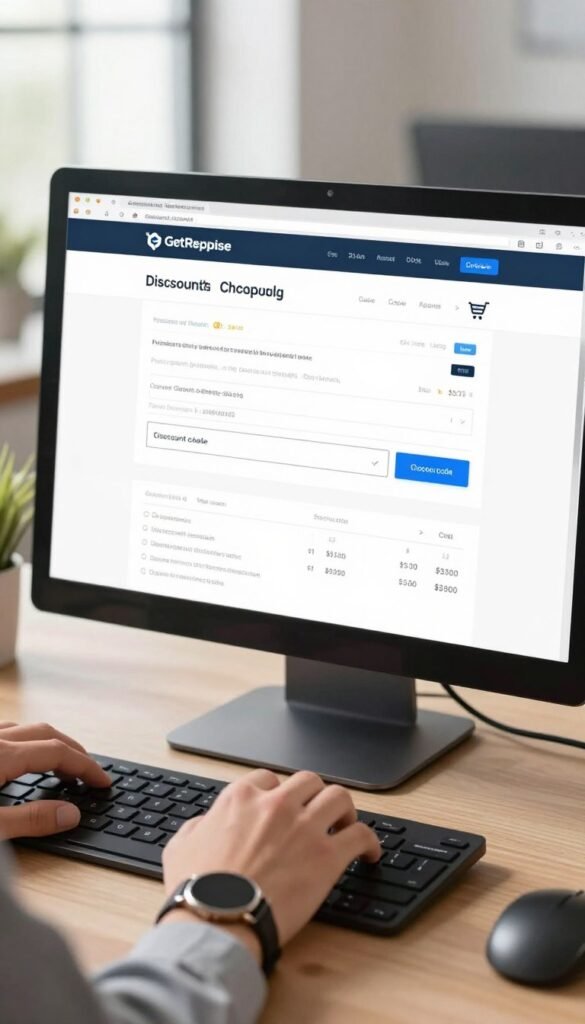
Before you use a code, check four details:
- Confirm that the offer covers your selected plan.
- Confirm that its billing period matches your choice.
- Check whether your account meets the offer’s eligibility rules.
- Read the stated terms and expiration date.
These checks help you avoid trying a code that belongs to a different plan or billing term. An offer may also have account rules that prevent it from applying to every user.

Once you log in, enter the code at checkout or during the payment step. Review the order summary and confirm that the expected discount appears. A code that is accepted but does not change the total has not lowered your charge.
ChatGPT can help you locate possible offers, but it cannot confirm that a code applies to your account. The checkout summary shows whether GetResponse accepts the code for your purchase. Treat that summary as the final check for the selected plan and term.
Save the offer terms before checkout if they include an expiration date or other limits. That makes it easier to compare the offer with the final order details. A code is useful when its discount appears against the plan and billing term you intend to purchase.
How Does GetResponse Pricing Compare With Alternatives?
At 1,000 subscribers, Sender’s stated Standard price is lower than GetResponse Starter’s. The billing term matters too, because ActiveCampaign’s quoted Starter price requires yearly billing.
Sender lists Standard at $9 per month for up to 1,000 subscribers, compared with GetResponse Starter at $19. ActiveCampaign lists a different price basis, shown here alongside those offers.

| Provider and plan | Audience | Stated price | Billing or discount detail |
|---|---|---|---|
| GetResponse Starter | 1,000 subscribers | $19 per month | Monthly price |
| Sender Standard | Up to 1,000 subscribers | $9 per month | Stated Standard price |
| ActiveCampaign Starter | 1,000 contacts | $15 per month | Billed yearly |
ActiveCampaign’s Starter price includes one user and an email-send limit of 10 times the contact limit. Its annual-billing discount is 20%. Nonprofits can receive an additional 20% discount on all plans.
Sender advertises a 30% first-year discount with annual billing on every plan. After the first year, its discount is 30% on Standard and 20% on Professional. Those later rates differ by plan, so the first-year offer does not describe every renewal.
ActiveCampaign also has a 14-day free trial. It allows one user, up to 100 contacts, and up to 100 emails. That small trial audience can help you test the service, but it does not match the 1,000-contact price example.
At 2,000 contacts, GetResponse Email Marketing is listed at $29, AWeber Lite at $24.99, and Mailchimp Standard at $60. This example answers common AWeber pricing and Mailchimp pricing comparisons at one audience size.

Headline prices can point to different billing terms, contact limits, or included features. Sender has the lower stated price in the 1,000-subscriber comparison, while ActiveCampaign’s price depends on yearly billing. Compare equivalent audience sizes and billing terms before treating one provider’s headline price as the better deal.
Which GetResponse Plan Fits Your Needs?
Choose your GetResponse plan by the features your campaigns need now, rather than by the largest feature bundle. Your next step should reflect the work you want to do, whether that means basic email or a more involved program.
Start with the tools your current campaigns require, then add features as your needs grow. A smaller set of features may be enough when you are building a list or sending basic updates.

For basic campaigns and list growth
If you are starting with basic email marketing, focus on the tools you will use to collect subscribers and send campaigns. Consider whether a landing page supports your sign-up process. You can move to a different plan as your work needs more features.
List growth can change what you need from a plan. Think about the audience you expect to reach and the kinds of messages you plan to send. A plan with extra features may not help if your campaigns do not use them yet.

Businesses that want to add marketing automation can look for tools suited to more complex campaigns. Automation helps send messages in response to a customer’s actions. Ecommerce teams may also need features that fit their sales and follow-up work.
For automation, ecommerce, or creator tools
Readers seeking automation or ecommerce tools should compare those needs with the plan features they expect to use. Advanced automations can support more involved customer journeys, while basic automations may suit simpler follow-ups. Choose based on the tasks your campaigns must handle.
Creator is designed for course creators and newsletter publishers. Its course creation tool includes course rooms, quizzes, and certificates. The plan also includes paid newsletters, which can help publishers charge for access to their email content.
Choose Creator when course content or paid newsletters are part of your planned work.
Those tools serve a different goal from a basic email campaign. Course rooms organize lessons, while quizzes and certificates add learning features. Paid newsletters support a publishing model built around subscriber access.
Do not choose a plan only because it lists the most features. Match its included tools to the campaigns, sales, or course work you expect to run. Pick the plan whose included tools match the work you expect to do first.
Conclusion
GetResponse’s annual-billing discount is the clearest verified saving, while plan fit depends on your audience and feature needs. A lower price helps only when the plan supports the email marketing work you expect to do.
Compare the relevant plan and billing term at checkout, then confirm any entered code appears in the order summary. That final check shows the charge you will accept. Choose the audience tier and billing term that fit your list, then confirm the final price before completing checkout.