
GetResponse is a strong fit for bloggers who want email marketing alongside tools for capturing, nurturing, and monetizing an audience. A new GetResponse Free account gets premium features for the first 14 days, then premium access becomes limited unless you upgrade.
This getresponse review looks at whether those extra email marketing tools match your blog’s needs and budget. You may want more than a basic newsletter sender, or you may prefer a simple way to email new posts. Your best-fit plan depends on which parts of that toolkit you will use.
Key Takeaways
- GetResponse Free supports small lists and occasional newsletters.
- Landing pages and signup forms can help capture readers.
- Marketing automation can send follow-ups based on subscriber actions.
- Creator tools suit bloggers who plan to teach or sell.
- A newsletter-only workflow may not need the broader platform.
What Does GetResponse Offer Bloggers?
GetResponse is an email marketing platform that brings newsletters and several audience-growth tools together. It suits bloggers who want one service to run campaigns and connect them with new subscriber signups.
Who is GetResponse? It is an email and marketing platform for sending campaigns and building online marketing flows. Its 2026 homepage lists email marketing, marketing automation, landing pages, SMS, web-push notifications, forms and popups, funnels, and webinars.

GetResponse’s broad toolkit helps when you want to connect subscriber growth with promotion or sales, but a newsletter-only blog may need fewer tools.
You can use a signup form to collect readers, send them a welcome email, then share new posts or offers. That sequence can keep your list active without moving between separate marketing tools. The approach becomes more useful when your blog has several ways to earn revenue.
A blogger who publishes weekly posts and has no paid offer may need only reliable email delivery. In that case, extra features can add setup work without changing the reader’s experience. If you plan to promote a course, event, or product, joined-up tools can save time.
Consider how email campaigns connect to the rest of your work. Judge its breadth against the specific work you want your blog marketing to do.
GetResponse Review: Core Features
The clearest reason to consider GetResponse is the way its marketing tools can connect subscriber behavior to follow-up campaigns. For bloggers, the strongest use case is joining email marketing with audience capture and behavior-based follow-up.
That setup can help you turn a new signup into a reader who returns for related posts, events, or paid content. It can also give you one place to plan campaigns across different stages of a subscriber’s relationship with your blog.
Where the platform stands out for bloggers
GetResponse’s marketing automation builder supports condition-based workflows with scoring, tagging, and event triggers. You can tag a reader who clicks a topic link, then send that person a more relevant follow-up.
For example, a food blogger could group readers by the recipes they click. A later email could feature more recipes in that category instead of sending every subscriber the same message. Conditional follow-up can make your email feel more useful to each reader.

The trade-off of an all-in-one setup
An all-in-one marketing platform can also take more time to learn. You may need to set up several tools and decide how they fit together before sending your first campaign.
If you send an occasional newsletter and do not use landing pages or follow-up paths, the extra options may feel like clutter. A broader platform can make sense as your blog grows, but a short feature list is not a weakness when it fits your needs.
Look at your current publishing and promotion habits, not just future plans. A tool you may use someday should not outweigh a clear need today. Choose the platform for the work you intend to run, not for the length of its feature list.
What Can You Do With GetResponse Free?
A blogger can start with GetResponse Free without a credit card, provided the contact and newsletter limits fit. A GetResponse Free account supports up to 500 contacts and 2,500 newsletter sends monthly. That gives a small blog room to test regular email publishing.
The free account can work for a modest list and occasional newsletters. Every message sent from a free account carries a GetResponse badge, which you can disable after upgrading to a paid account.

Before you start, check these three details against your publishing routine:
- Does the 500-contact limit cover your current subscriber list?
- Will 2,500 monthly sends cover the newsletters you plan to send?
- Does the GetResponse badge fit your blog’s brand?
The Free plan can help you test whether readers join your list and open your emails. It also gives you a way to try the basic newsletter workflow before you add a monthly bill. A list that grows past the contact cap or a frequent sending schedule may call for a paid plan.
Keep the monthly email allowance in mind when you email the same list more than once. For example, repeated sends to each subscriber use the allowance faster than one monthly issue. Estimate your monthly sending needs using your planned newsletter frequency and current subscriber count.
GetResponse Pricing and Plans
The paid plans have listed monthly prices of $19 for Starter, $59 for Marketer, and $69 for Creator. The listed prices and contact-size choices are separate details, so compare them on their own.
Each standard plan has contact-list size options. Those options are 1,000, 2,500, 5,000, 10,000, 25,000, 50,000, and 100,000 contacts. The prices below do not name one of those contact levels.
Monthly and annual listed prices
| Plan | Listed monthly price | Listed annual price per month | Standout inclusions |
|---|---|---|---|
| Starter | $19 per month | $15.58 per month | Unlimited monthly email sends; one custom workflow |
| Marketer | $59 per month | $48.38 per month | Unlimited workflows; advanced segmentation; abandoned-cart recovery; sales funnels |
| Creator | $69 per month | $56.58 per month | Webinars; website builder; course creator; premium newsletter subscriptions |
| Max | Custom-priced | Custom contract | Package set for the business |
GetResponse Max is a custom offer for businesses with lists of 100,000 or more. The package is set through a customized business-to-business contract and an Order Form.
Which plan features change the decision?
Starter supports three account users and has three AI-tool uses. Marketer and Creator each support up to five users, which may matter if an editor or assistant helps run your blog’s marketing.
The Marketer plan is more relevant when you need several workflows, audience segments, or sales funnels. Creator adds webinars, a website builder, a course creator, and paid newsletter options. A blogger planning several ways to earn may use more of those tools than someone focused on one newsletter.
GetResponse lists SMS marketing, mobile push notifications, AI product recommendations, transactional emails, a dedicated sending domain, a dedicated IP address, and single sign-on among Enterprise features. These tools point to larger business needs, not a typical solo blog. Compare the tools you will use against the contact-size option that fits your list.
How Does GetResponse Handle Blogger Newsletters?
GetResponse gives you a drag-and-drop editor for assembling and reusing newsletter content. Its content blocks support text, images, buttons, video, social links, and custom HTML.
You can save common parts, such as a header or call to action, then reuse them in later emails. Templates are organized by goals such as promoting, educating, and welcoming subscribers, so you can start with a layout that suits the message.

Bloggers can use the editor for recurring messages such as:
- A new-post announcement that points readers to the latest article.
- A welcome email that introduces your blog to new subscribers.
- A curated roundup of useful posts from your archive.
Those formats cover many editorial needs without requiring a new design each time. Still, templates may need hands-on styling to match your colors, fonts, and content. A starter layout is a base, not a finished brand design.
Try the editor with a real draft before settling on a template. Your own copy can reveal whether the layout has enough room for a long headline, a short intro, or several links. Save recurring blocks such as your newsletter sign-off so each issue starts closer to finished.
Can Bloggers Build Signup Forms and Landing Pages?
A focused landing page gives a blog visitor one clear next step, while a signup form can capture subscribers directly. Signup forms work well in a post or site area where readers already expect to find more content.
Use a form to invite readers to join your newsletter or ask a question through a contact form. A signup form can also offer a lead magnet, such as a checklist or guide, in exchange for an email address.
Capturing new subscribers
Forms can make an invitation easy to act on without sending a visitor away from the blog. Put the form near relevant content, so its offer matches what the reader is already viewing.

Sending visitors to a focused page
A landing page can give a newsletter or lead magnet its own space. Keep the promise plain and use one main action, such as joining a list or requesting a download.
For example, a page tied to a post about meal planning could offer a related weekly planner. That makes the reason to sign up clear without asking visitors to choose among several unrelated links.
| Feature | Free-plan detail | Blogger use |
|---|---|---|
| Published landing pages | 1 | Promote one signup or offer page |
| Unique landing-page visitors | Up to 1,000 per month | Serve a limited traffic volume |
| Signup and contact forms | Included | Collect subscribers or messages |
Paid plans provide unlimited landing-page visits. The Free account’s single published page and monthly visitor limit may constrain a campaign that draws a larger burst of traffic. Match the page’s call to action to the specific post or offer that brought the visitor there.
What Can Bloggers Automate With GetResponse?
Automation helps you send a relevant follow-up when a subscriber joins, clicks, or takes another tracked action. A simple sequence can start with one trigger, then send a few messages that support the reader’s interests.
Starter includes one custom automation workflow, while Marketer includes unlimited workflows. That difference can shape how many subscriber journeys you build, but it does not change the need for a clear plan.
Welcome and engagement sequences
A welcome sequence can deliver a promised resource as soon as a new reader joins your list. A later message can point to related posts, explain what you publish, or invite the subscriber to choose a topic.
This works best when each message has one job. Send the download first, then give the reader a reason to return, rather than packing every offer into one crowded email.

Behavior-based follow-up
GetResponse’s automation builder supports conditions, scoring, tags, and event triggers. You can set a path based on whether someone clicks a topic link or registers for an event.
For example, a reader who clicks a gardening link could receive more related posts. Someone who registers for your webinar could get a reminder and a follow-up email after the session.
Common blogger uses include:
- Welcoming new subscribers with a short introduction.
- Re-engaging inactive readers with a useful new resource.
- Following up after a webinar registration.
Setting conditions and paths takes more thought than sending a one-off newsletter. Map the trigger, the reader’s likely need, and the next useful message before you build a workflow. Start with one repeatable subscriber journey and add branches only when they serve a clear purpose.
Are GetResponse Funnels and Ecommerce Tools Useful for Bloggers?
Funnels are most useful when your blog has a clear path from visitor interest to a product, event, or paid offer. A conversion funnel can connect a lead-capture page with follow-up messages and a sale.
GetResponse’s Conversion Funnel combines steps such as forms, emails, SMS, and landing pages. That can help you plan a sequence from first interest to a paid offer without treating each campaign as a separate task.

A blogger with an online store may also benefit from ecommerce connections. GetResponse integrates with Shopify and WooCommerce, which can link store activity with marketing campaigns.
These tools fit common blog sales scenarios:
- Selling a digital product, such as a guide or template.
- Promoting a paid event to readers who joined your list.
- Following up on an abandoned cart from your online store.
Store-focused emails may help when you have products and a real checkout process. A content-only blog without a shop may gain little from ecommerce features. Avoid building a sales funnel just because the platform offers one; first decide what the reader should buy.
Advanced store campaigns make more sense when your blog actually sells products. A blogger who earns through ads or free content may need only newsletter tools. Sketch the reader’s path from first signup to purchase before building a funnel.
Can Bloggers Use GetResponse for Webinars and Paid Content?
Webinars and paid-content tools are most relevant when your blog already has an audience offer to teach or sell. They can turn your expertise into a live session, course, or paid email series.
Pairing webinar registration with email can help you send reminders and follow up after an event. This creates a useful path from a blog post to a live lesson and then to related content or an offer.
Webinars as an audience channel
During the first 14 days of a GetResponse Free account, webinars are limited to 10 people, including the account holder and presenters. You can record one webinar of up to 30 minutes and use that recording to create one on-demand webinar.

Those webinar limits make Free suitable for a small test, not a large online event. A blogger can test a short class with a few readers, then see whether live teaching fits the audience before choosing broader tools.
Courses, websites, and paid newsletters
Creator includes webinars, a website builder, a course creator, and premium newsletter subscriptions. That mix may suit a blogger who plans to teach live, sell a course, and publish paid email content.
If you only want to run a paid newsletter, the other creator features may go unused. A blogger who needs a new site can also compare a built-in website builder with a dedicated website design service for blogs, stores, or portfolios.
A site builder is most useful when it fits your publishing needs and gives you enough control over your pages. Count the content formats you plan to publish before paying for a broader creator toolkit.
What Can GetResponse AI Do for Bloggers?
GetResponse AI can assist with campaign drafts and landing-page creation, with product recommendations aimed at ecommerce. Its writing tools can help you start email content, subject lines, and landing-page copy or layouts.
GetResponse AI tools can help generate email content and subject lines, while product recommendations are a Max feature. Treat generated text as a first draft, then check its tone, claims, and fit with your blog.

AI can also suggest a landing-page layout or starting copy. You still need to make the offer clear and keep the language consistent with how you speak to readers. A polished draft may sound generic if you publish it without edits.
Product recommendations serve a different purpose from writing help. The system analyzes purchasing behavior, needs, preferences, viewed items, and product categories to recommend products in emails and on websites.
That feature makes more sense for a business with products and shopping activity than for a blog that publishes articles alone. AI product recommendations are available on Max. Treat generated copy as a draft that still needs your editorial judgment.
What Support and Account Access Do Bloggers Get?
GetResponse Free offers round-the-clock English live chat and multilingual email support. Free users can use live chat 24/7 in English and email support in eight languages.
Email support is offered in English, Polish, Russian, German, Spanish, Portuguese, French, and Italian. That range may help if you prefer writing a support request or work in one of those languages.

GetResponse Max can include a dedicated Customer Experience Manager, deliverability consulting, product training, monthly performance reporting, a custom sending domain, dedicated infrastructure, and a dedicated IP address.
Those services are designed for larger business needs and more complex email operations. A solo blogger may not need a manager or monthly performance reports, especially while building a small newsletter.
Support matters most when you know how you prefer to solve problems. Live chat may suit a quick setup question, while email can work better when you need to explain a technical issue. For a solo blog, begin by matching the support channels to the help you expect to need.
What Do GetResponse Reviews and Complaints Say?
GetResponse’s Trustpilot profile shows a 4.2 out of 5 rating from 1,046 reviews in 2026. The profile included 203 reviews from the preceding 12 months, giving you a large set of user feedback to consider.
Trustpilot’s 2026 summary of 150 reviews reported praise for helpful staff and an intuitive platform. The complaints included account-access restrictions, delayed support, generic replies, and billing concerns.
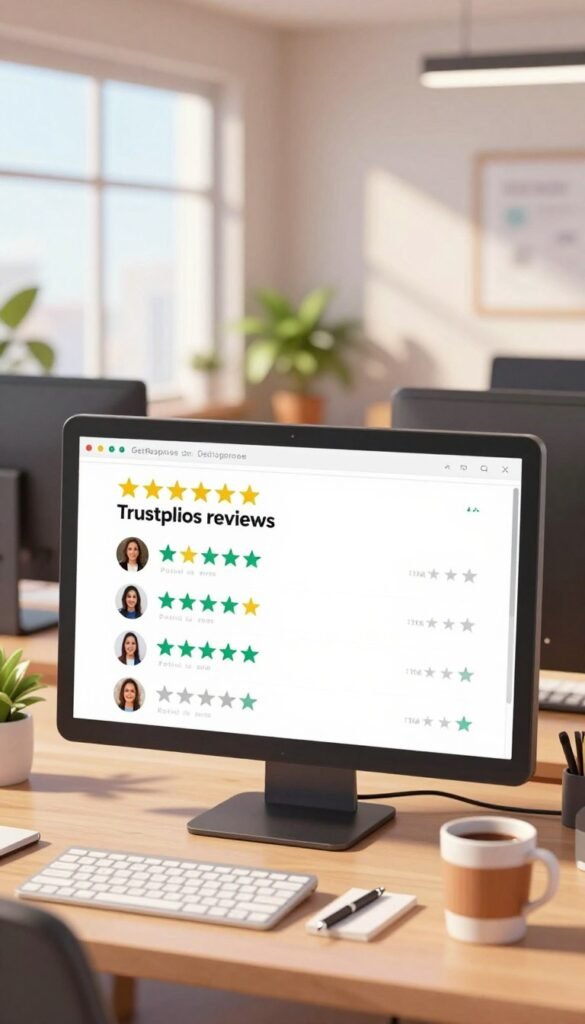
GetResponse review complaints include account-access restrictions, delayed support, generic replies, and billing concerns in that 2026 summary. As of November 2026, Trustpilot said GetResponse had replied to 11% of negative reviews, usually within 24 hours.
Trustpilot also stated that GetResponse had no recent history of asking customers for reviews. It warned that the reviews might not represent all customers, so the rating cannot tell you how every account will work.
Positive comments may help you judge the service’s ease of use, while negative reports can flag issues worth considering. A review profile is more useful when you focus on the problem that could affect your work, such as access or billing. Use the rating as one input and weigh the specific account or billing issue that matters to your workflow.
What Are the Pros and Cons of GetResponse for Bloggers?
GetResponse’s strongest advantage for bloggers is the chance to connect list growth, email follow-up, and monetization tools. That connected setup can support an audience from first signup to a paid offer.
You can bring forms, email campaigns, and automation into one workflow, then add creator features if your blog starts selling courses or paid content. This range can be useful when your marketing needs grow beyond a monthly newsletter.
Advantages for audience growth and monetization
The platform supports audience capture, behavior-based follow-up, and creator options. It can help you connect a signup offer to a welcome email, then continue with relevant posts or sales messages.

The main benefit is having several audience-growth tasks in one service. That may reduce the need to coordinate separate tools when you run campaigns, events, and paid offers.
Trade-offs to weigh before choosing
A broader tool set takes time to learn and may include features you never use. GetResponse manages contacts with tagging, scoring, and segmentation, but it does not include sales pipelines or deal tracking like a full CRM.
If you manage client sales or deals, you may need a separate CRM alongside your email platform. The monthly cost also matters when the tools do not support a clear publishing or sales goal.
Pros and cons for a blogger often look like this:
- Pro: Connect subscriber signup and follow-up campaigns.
- Pro: Add creator tools as your paid content grows.
- Pro: Use audience tags to send more relevant emails.
- Con: Pay for features that may sit unused.
- Con: Spend time learning more involved workflows.
- Con: Use a separate CRM for sales pipelines and deal tracking.
Give the features you will use more weight than the ones that only look impressive in a plan comparison.
GetResponse vs Mailchimp for Bloggers
GetResponse has the advantage over Mailchimp when your blog needs built-in webinars and conversion funnels. GetResponse vs Mailchimp comes down to whether those built-in tools matter to your publishing and sales workflow.
In a 2026 comparison, GetResponse was described as offering built-in webinars and conversion funnels. Mailchimp was described as having neither native webinars nor full conversion funnels.
When GetResponse has the edge
If you host online classes or want a funnel builder that joins signup and follow-up steps, GetResponse may fit your workflow better. Those tools can save you from building the same process across separate services.

When your choice depends on a simpler workflow
A blogger who sends newsletters and does not host events may value a simpler email-focused choice. You do not need to choose a broader platform just because it can support more campaign types.
This comparison stays focused on the built-in webinar and funnel differences. Your own setup may depend on how you publish, promote events, and sell products, rather than on one feature alone.
| Capability | GetResponse | Mailchimp |
|---|---|---|
| Built-in webinars | Yes | No native webinars |
| Conversion funnels | Yes, built-in funnels | No full conversion funnels |
| Blogger decision | Consider it when webinars and integrated funnels matter | Consider your needs without relying on those built-ins |
Choose based on the built-in capabilities your publishing and sales workflow will actually use. A tool that fits your weekly routine matters more than a feature you may never open.
Can Bloggers Earn With GetResponse’s Affiliate Program?
GetResponse’s affiliate program gives bloggers a way to monetize relevant recommendations through tiered recurring commissions. The program uses PartnerStack for signup and partner promotional materials.
The GetResponse affiliate program uses PartnerStack and pays different recurring commissions by tier. Bronze partners receive a stated 40% recurring commission for 12 months.

Silver status requires 50 sales within 12 months, while Gold requires 100 sales within 12 months. The higher commission rates depend on meeting those sales thresholds.
| Tier | Requirement | Recurring commission | Commission period |
|---|---|---|---|
| Bronze | Not specified | 40% | 12 months |
| Silver | 50 sales in 12 months | 50% | 12 months |
| Gold | 100 sales in 12 months | 60% | 12 months |
The Bronze rate and period are stated, while sales thresholds apply to Silver and Gold. A blog can share the service through a review or tutorial when its readers are likely to need email marketing tools.
Affiliate income depends on whether your recommendation reaches people who value the service. Clear disclosures also help readers understand that a link may earn you a commission. Promote the service only when it fits the needs of the audience you have built.
Conclusion
GetResponse is worth considering when your blog needs more than a basic newsletter sender. It suits bloggers who will use connected audience-growth or monetization tools, while a newsletter-only workflow may not need its broad feature set.
Your next step is practical: map your immediate blog needs to the free account’s limits or a paid-plan feature that supports your next stage. Write down your next audience-growth goal and choose the plan whose tools support that goal.