
More than 200 prebuilt templates may be a surprise: GetResponse’s builder gives you a quick way to launch a focused campaign without rebuilding your website. First, choose one clear goal.
A landing page can collect signups and leads, promote a product or service, or guide visitors to another destination. Your goal shapes the offer, audience, content, and next step, so each choice supports one action.
In this guide, I’ll show you how to plan, create, publish, and improve a page. You’ll see what to consider before building, from the message you want to share to the path visitors take after they respond.
GetResponse landing pages offer a practical starting point for a quick campaign. Choose a template that fits your purpose, then make the message your own. A clear plan helps you build with confidence.
Key Takeaways
- Pick one goal for your campaign.
- Match your offer to your audience.
- Use templates to speed up setup.
- Keep the message focused on one action.
- Review results and make improvements.
Define Your Landing Page Goal and Audience
Start with one clear outcome. It will guide your offer, message, and next step. A GetResponse landing page works best when every choice supports that goal.
Pick One Main Campaign Outcome
Choose whether you want to collect signups or leads, promote a product or service, or send visitors to another destination. Each goal calls for a different offer and call to action. Keep one primary action so users know what to do next.
Learn What Your Audience Trusts
Look at questions people ask in search, reviews, and customer comments. Their wording can show what they value and which objections your content should address. Then review competitor campaigns for useful ideas, such as customer photos, trusted logos, reviews, or countdown timers.
Snappr offers a useful example: its campaign combines a headline, supporting subheading, clear CTA, trust signal, and social proof. Use those elements only when they fit your audience and offer.
Let audience insight shape the offer before you choose a campaign format.

| Primary goal | Useful audience insight | Possible proof |
|---|---|---|
| Collect signups | Questions about value | Customer reviews |
| Promote an offer | Purchase concerns | Trusted logos |
| Send visitors onward | Interest in the next step | Customer photos |
Choose a Getresponse Landing Page Template and Builder
The right design should fit your campaign, brand, and workflow. Compare a few options before you build.
Match a Template to Your Campaign and Brand
Search Google or Pinterest for ideas, or browse Envato Market and Template Monster. Look for a style that suits your campaign type and matches your website colors and brand name. GetResponse offers more than 200 templates. Its AI tools can create text and images from your industry, offer, and color theme.
Nicholas Scalice, a landing page design expert, stresses the value of focused design. Choose a layout that makes your message easy to scan. A short demo video can help you judge how simple a builder feels.

Compare Builder Options
When you choose a landing page builder, compare usability, design control, hosting, mobile display, analytics, and marketing integrations. SeedProd offers 100+ mobile-friendly templates and a drag-and-drop editor. Pick the best fit for your skills and campaign workflow.
| Option | Template details | What to check |
|---|---|---|
| GetResponse | 200+ templates and AI content tools | Integrations and analytics |
| SeedProd | 100+ mobile-friendly designs | Editing tools and hosting |
| Envato Market or Template Monster | Template browsing and discovery | Mobile fit and design control |
Set Up Your Page Name, URL, and SEO Details
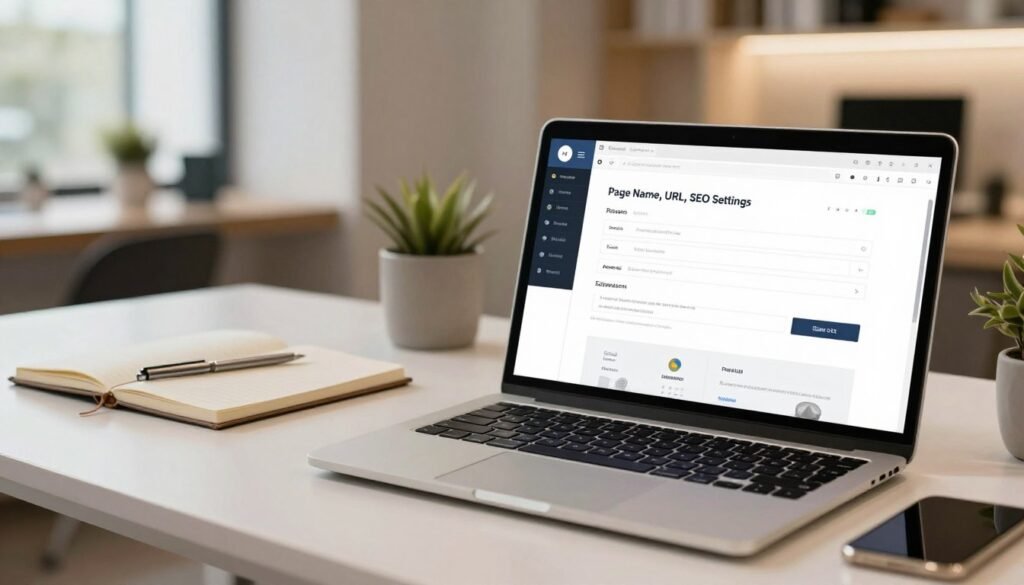
A clear name and easy-to-read address help visitors recognize your campaign. GetResponse lets you connect a domain you own or buy one in the tool. You can also use a subdomain or subfolder on your existing website. Sample addresses include YourCompanyName.grwebsite.com and YourCompanyName.grweb.site.
Write a Clear Page Title and Description
In Website Builder, open Manage pages, select the vertical ellipsis, then choose Settings, General settings, and Accessibility and SEO. Add a unique title and a concise description. Google may show this text in search results, but search engines can replace it with content from your page.
Use one Heading 1 per page, with a maximum length of 60 characters. Keep its wording clear and relevant to your offer.
Choose a Domain and Set Search Visibility
Turn on the indexing option if you want search engines to include your page in results. Turn it off to keep the page out of search results.
Choose visibility based on whether people should find this campaign through search.
| Setting | What to choose | What it does |
|---|---|---|
| Address | Custom domain, subdomain, or subfolder | Gives visitors a memorable URL |
| Title and description | Unique title and concise description | Summarizes the offer for search |
| Indexing | On or off | Controls search-result inclusion |
Customize Your Landing Page Content and Layout
Once your goal is clear, shape each element around the offer. Keep the design easy to scan and guide visitors toward one next step.
Write a Headline, Supporting Text, and Focused Call to Action
Lead with a direct headline, then use a short subheading to explain the value. Add a unique selling point and a clear button label, such as “Get the guide.” Keep the text focused on one offer so visitors can act without guesswork.
Add a Signup Form, Social Proof, and Trust Signals
Use a signup form or contact form that asks only for needed details. Add honest testimonials or logos from companies you have worked with. These signals can help build trust. Optional popups or countdown timers may add urgency, but use them only when they suit the offer.
Use On-Brand Visuals and Check the Mobile Layout
Choose a hero image that supports your message. Match colors, fonts, logos, and illustrations to your brand. A GetResponse landing page builder includes page templates you can adapt; keep useful structure rather than changing every section. Then check how the page looks on a phone before launch.

| Element | Purpose | Quick check |
|---|---|---|
| Headline and CTA | Show the offer and next step | Use clear, specific wording |
| Form and proof | Invite action and build trust | Ask only for needed details |
| Visuals and layout | Support the message across devices | Review brand fit on mobile |
Connect Your GetResponse List and Marketing Tools
Before you invite visitors, decide where each new subscriber should go. Connect your signup form to the right GetResponse email list so people enter the follow-up workflow you intend. This helps keep your campaign organized from the first signup.
In SeedProd, connect your account with an API key. Find it in GetResponse under Account Details » API, then return to the builder and choose the email list for your landing page. If you use another page builder, look for its GetResponse connection settings.
GetResponse includes email marketing, automation, conversion funnels, signup forms, campaign pages, and webinars. You can also connect useful marketing tools, such as Google Analytics or Google Tag Manager, Meta Pixel, email marketing software, and a CRM.

Before sending traffic, submit a test entry. Check that the form captures the right contact details and adds them to the intended list. A quick test can catch a setup issue before it affects lead generation.
| Connection | What to confirm | Why it matters |
|---|---|---|
| Email list | New contacts reach the intended list | Starts the right follow-up |
| Analytics and tracking | Events register correctly | Helps measure campaign activity |
| CRM | Contact details sync as expected | Supports lead management |
Test, Publish, and Improve Your Landing Page
A careful review can catch small issues before they affect your campaign. Check the full experience on desktop and mobile, and remove any placeholder text. SeedProd’s mobile preview helps you see how the design works on a smaller screen.

Check Forms, Links, Tracking, and Confirmation Messages
Test every call-to-action button, link, and phone number. Submit the form and confirm contact details reach the right list. Check Google Analytics or Google Tag Manager and Meta Pixel to ensure tracking works. Then verify the welcome email and thank-you message, including delivery of any promised resource.
Review metadata and make sure the content is complete. For a webinar, GetResponse can support registration, thank-you, and post-event pages. Reusing templates and testing the flow may take about 30 minutes.
Use Results to Guide Your Next Update
When everything works, save your work and select Publish in SeedProd. Review campaign results after launch, then make focused changes based on user behavior. For example, test a clearer button label if few visitors click. Small, evidence-based updates can make the experience more useful over time.
Conclusion
Turn your campaign plan into a useful next step. Before choosing a template, decide whether you want to collect signups or leads, promote an offer, or send visitors to another destination. Then use audience questions and competitor examples, such as Snappr’s social proof, to shape relevant content.
For your GetResponse landing page, write a clear title and description, choose whether search engines should index it, and keep the H1 under 60 characters. Connect the signup form to the right email list. If you use SeedProd, check the API connection and test a sample submission.
Finally, review the design on mobile, confirm forms and tracking, and watch campaign results. Use what you learn to make focused updates. A well-tested landing page gives your next improvement a stronger starting point.