
GetResponse Free suits a small list and basic newsletters, while a paid plan is the better fit when you need unlimited monthly sends, more contacts, or advanced tools. A new Free account gives you 14 days of access to premium features before those limits apply.
Your needs may change as your audience grows or your marketing takes on more work. The right choice can save cost and time while giving you the experience you want. Use the differences below to match a plan to your list size, sending needs, branding, automation, and any specialized tools you rely on.
Key Takeaways
- Free works for small lists and basic email broadcasts.
- Paid plans include unlimited monthly email sends.
- Starter suits email-led marketing with a simple workflow.
- Marketer adds audience targeting and ecommerce tools.
- Creator supports paid content, courses, and webinars.
- Enterprise offers custom pricing and specialized support.
GetResponse Free vs Paid: The Main Differences
The clearest dividing line is that GetResponse’s paid plans include unlimited monthly email sends, while Free is designed for a smaller-scale start. Free keeps things simple, while paid accounts add more room and different marketing features.
Paid plans expand sending capacity and unlock different tool sets. The best plan depends on the work you need it to do, not just the price or the number of contacts.
Choose a paid plan when a specific limit or missing tool gets in the way of your marketing.
Free gives you a no-cost way to begin email marketing with basic tools. You can create messages and send broadcasts, but the account has tighter limits than the paid plans.
GetResponse names its paid tiers Starter, Marketer, Creator, and Enterprise. Those plans vary by features as well as contact tier, so two accounts with similar lists may need different plans.

Starter centers on email marketing, while Marketer adds tools for targeted campaigns and ecommerce. Creator is built for selling content, and Enterprise supports custom needs.
Each step up matters only if you will use its tools. A larger set of marketing automation features may help one business, while a basic newsletter setup may be enough for another.
Think about what you send, how often you send it, and which tasks you want the platform to handle. Then compare plans that can do that work.
Use the feature you need most, rather than the number of plan names, to narrow your comparison.
What Does the GetResponse Free Plan Include?
Free gives you a no-cost place to build a small list, publish a landing page, and send occasional broadcasts. It can stay available as long as you need, without a credit card.
The free plan supports up to 500 contacts and 2,500 emails per month. It also gives you signup and contact forms, one landing page, one-time broadcasts, and drag-and-drop email creation.
Free account basics and monthly limits
These tools cover the first steps of email marketing, from collecting subscribers to sending a newsletter. The landing page can receive up to 1,000 unique visitors per month.
Free users can create and publish workflows, but some workflow features remain out of reach. GetResponse also gives Free account users access to its Customer Success team through 24/7 live chat in English.
Keep these ongoing limits in mind:
- Up to 500 contacts and 2,500 emails each month.
- Up to 1,000 unique landing-page visitors monthly.
- After premium access ends, webinars allow 10 people, including you and presenters, with one recording up to 30 minutes.
- Sent messages carry GetResponse branding, which you can disable after upgrading.
- Workflows do not include the dynamic segment filter.

What changes after premium access ends
A dynamic segment is an audience group that updates automatically as contacts meet the selected criteria. Any paid plan unlocks the dynamic segment filter for workflows.
After the account’s first 14 days, webinar access follows the smaller Free limit. The single recording can run for up to 30 minutes, and the room includes you and presenters in its 10-person cap.
The account remains available indefinitely, even if you do not upgrade. That makes it useful for a small list, a low-volume newsletter, or a basic test of the email creation tools.

If your list and monthly email needs stay within those Free limits, the account can remain a useful working option.
How Much Do GetResponse Paid Plans Cost?
For 1,000 contacts, paid pricing starts at $19 per month for Starter and rises with the plan’s feature set. The contact tier matters, but email volume alone does not set your bill.
Paid-plan pricing depends on your contact tier and plan, while monthly email sends are unlimited. The prices below compare monthly and annual billing at the same contact count.
Monthly and annual prices at 1,000 contacts
| Plan | Monthly billing at 1,000 contacts | Annual billing at 1,000 contacts |
|---|---|---|
| Starter | $19 per month | $15.58 per month |
| Marketer | $59 per month | $48.38 per month |
| Creator | $69 per month | $56.58 per month |

At the 1,000-contact level, annual billing lowers the monthly equivalent for each standard paid plan. GetResponse says annual billing saves 18% on standard paid plans.
A 24-month commitment is a separate option, with savings of 30%. Compare that longer commitment with annual billing before choosing how long to pay in advance.
How contact tiers and billing commitments change the cost
The standard paid-plan contact options are 1,000, 2,500, 5,000, 10,000, 25,000, 50,000, and 100,000. A higher contact tier can raise the price even when you choose the same plan.
Sending 10,000 emails alone does not determine your cost. If you mean 10,000 contacts on Starter, monthly billing costs $79 per month; Marketer costs $114 and Creator costs $134.

At 5,000 contacts, monthly billing costs $54 for Starter, $95 for Marketer, and $109 for Creator. These figures show why your contact tier matters as much as the plan name.
Use your expected list size when comparing prices, rather than the number of emails you plan to send. Unlimited monthly sends mean that the 10,000-email total does not add a separate send-based charge.
Compare the commitment period against the price you are prepared to pay for the features you need.
When Is the Starter Plan Enough?
Starter fits you best when email is your main marketing channel and one custom workflow can handle your routine follow-up. It keeps the focus on email rather than a broad set of campaign tools.
Starter includes one custom automation workflow. That may cover a basic welcome sequence, but it can feel tight when separate parts of your business need separate follow-up.
Starter’s email and landing-page tools
You can use Starter for newsletters, manually sent campaigns, signup forms, popups, and landing pages. A welcome email series can greet new subscribers without requiring a complex marketing setup.
For a small team, Starter supports up to three users. Marketer and Creator each include up to five users, which may matter if several people handle campaigns.
A simple email program might use one workflow to welcome subscribers and send a short series. If you also need separate paths for customers, event signups, and inactive contacts, one workflow may not cover your needs.
The one-workflow limit in practice
Consider how many distinct follow-up sequences you run, not just how many emails each sequence contains. A single workflow can handle one routine process, while several processes may call for another plan.
For email design, a common rule of thumb is a 60% text and 40% image balance. That gives readers enough text to follow your main point, even if images do not load.
Keep calls to action clear and easy to find. A button or link should support the message, not ask readers to guess what happens next.
Starter works best when your team can manage its normal campaigns and follow-up in one workflow. If you need separate custom sequences, that limit becomes a practical constraint.
Keep your core message and calls to action readable in text, even when you use images to support them.
What Does the Marketer Plan Add?
Marketer is the step up when you want campaigns to respond to customer behavior instead of relying mainly on manual sends. It adds more ways to target people and connect email with sales activity.
Marketer includes advanced audience segmentation and ecommerce campaign tools. These features help you shape a message around what a contact has done or what they may want next.
Automation and audience targeting
Advanced audience segmentation lets you divide contacts into groups for more targeted campaigns. You could send different messages to people who bought, browsed, or signed up for a specific offer.

Marketing automation can then respond to those actions. For example, a contact’s behavior can trigger a follow-up instead of leaving you to send every message by hand.
Scoring and tagging can help you sort and track contacts as they engage. Use those signals to shape a campaign, rather than sending the same message to your entire list.
Ecommerce campaigns and sales tools
Marketer includes abandoned cart recovery, sales funnels, promo codes, revenue reports, and web push notifications. Together, these tools support campaigns aimed at moving shoppers from interest to purchase.
An abandoned cart campaign can remind a shopper about items left behind. A promo code can give that follow-up a clear offer, while revenue reports help you review sales results.
Sales funnels can organize a series of steps toward a purchase. Web push notifications offer another way to reach visitors, alongside email campaigns.
These tools are most useful when your business sells online and needs campaigns tied to customer actions. They may add little value if your work centers on occasional newsletters.
Choose Marketer when the added automation and ecommerce tools solve a real campaign need for your business.
Who Should Choose Creator or Enterprise?
Creator is the specialized choice for selling knowledge, while Enterprise is for businesses that need a custom arrangement and higher-touch capabilities. The right fit follows your business model, not just the size of your team.
Creator supports paid content, courses, and webinars; Enterprise adds custom pricing and specialized services. These plans serve different needs beyond standard email campaigns.
Creator tools for courses, webinars, and paid newsletters
Creator includes webinars for up to 100 attendees and a course creator for up to 500 students. Those limits can fit an educator, coach, or creator who teaches a focused audience.

Premium newsletter subscriptions give you another way to charge for audience content. You can use them to share paid expertise, lessons, or other material with subscribers.
These tools make Creator a natural option when your marketing and your content business work together. A course, webinar, or paid newsletter can become part of how you earn from your knowledge.
Enterprise support and custom requirements
Enterprise has custom pricing for organizations with specific sending or support needs. It includes five added capabilities:
- A dedicated sending domain.
- A dedicated IP address.
- Premium priority support.
- SMS marketing.
- Transactional emails.

A dedicated sending domain and IP address support organizations with custom sending needs. Priority support, SMS, and transactional emails can also suit teams with more specialized communication work.
Creator is aimed at creators and educators who want to earn from content. Enterprise suits organizations that need custom terms, dedicated sending tools, or higher-touch support.
Let the business model decide between monetizing expertise and meeting custom enterprise requirements.
How Should You Choose Between Free and Paid?
Your best choice is the least expensive plan that covers your current contact tier and the feature you actually need. Start with today’s needs, then account for growth you can reasonably expect.
Check the contact tier and the feature that would make a paid plan useful. These four questions can help you narrow the choice:
Choose by list size and the feature you need now
- How many active contacts do you have, and how quickly might that list grow?
- How many emails do you need to send in a typical month?
- Do you need more than one custom workflow or advanced targeting?
- Are webinars, courses, paid newsletters, or ecommerce tools essential?

Your answers point to the smallest plan that can do the job. If you need only basic broadcasts, a higher tier may add features you will not use.
Think about the work your team does each week. A plan should solve a real limit, such as sending more, running targeted campaigns, or offering paid content.
Account changes and nonprofit pricing
You can upgrade a Free account anytime. After you upgrade to a paid account, you cannot downgrade it back to Free, so consider that change before moving up.

Nonprofits can receive a 50% discount for 24 months, subject to conditions. Those conditions include displaying a GetResponse link on the nonprofit’s website.
Include that website-link condition when you judge the nonprofit offer. It affects whether the discount fits your organization and its public site.
If you qualify for the nonprofit offer, include its website-link condition when you assess the discount.
GetResponse Compared With Other Email Platforms
The useful comparison is not a single winner, but how each platform’s contact limits, send limits, and feature mix match your needs. Small details can change the fit, especially when a service counts contacts you no longer email.
Mailchimp uses contact tiers and send limits, while Brevo prices paid plans by email volume. The pricing models can suit different list sizes and sending patterns.
What GetResponse reviews show
In the 2026 listing, GetResponse had ratings of 4.3 out of 5 on G2, 4.2 on Capterra, and 4.2 on Trustpilot. Ratings give you one view of customer experience, not a measure of fit for every business.

Mailchimp Free covers 250 contacts and 500 emails per month, with a maximum of 250 emails per day. Its contact limits count unsubscribed and non-subscribed contacts, too.
That counting rule can reduce the room available for contacts you actively email. Mailchimp Essentials automation flows can have up to four steps, while Standard allows up to 200 flows.
Mailchimp and Brevo pricing trade-offs
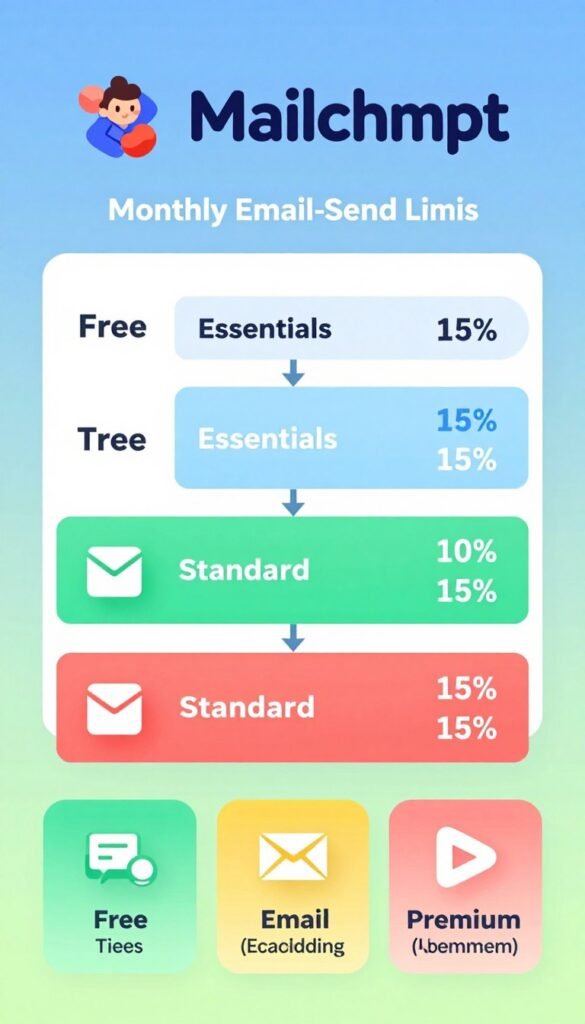
Mailchimp’s monthly email-send limits depend on the plan and contact tier. Essentials allows 10 times the contact tier, while Standard allows 12 times the contact tier.
| Mailchimp plan | Contact tier | Monthly price | Monthly email-send limit |
|---|---|---|---|
| Essentials | 500 contacts | $13 per month | 10 times the contact tier |
| Essentials | 5,000 contacts | $75 per month | 10 times the contact tier |
| Standard | 500 contacts | $20 per month | 12 times the contact tier |
| Standard | 5,000 contacts | $100 per month | 12 times the contact tier |
Brevo’s Free plan supports up to 100,000 contacts, and its paid plans use email volume rather than contact tiers. That approach may appeal if you keep many contacts but send less often.
Klaviyo is identified as an ecommerce-focused email platform, while GetResponse is identified as a platform for running webinars. Each service has a different feature focus.
Compare contact counting and send limits before judging a platform by its starting price.
Use the ratings as one input alongside the limits and features that affect your own campaigns.
Conclusion
Start with Free if basic broadcasts and a small list meet your needs, and choose a paid plan when a specific limit or feature becomes important. Your current list is a useful starting point, but the plan should also fit the work you want to do.
Free can be a practical home for a small audience and occasional emails. Paid makes sense when your contact tier, sending needs, automation, branding, or specialized tools call for more.
Count your active contacts, name the one feature you need next, and use those two answers to select your plan.